
The payroll view
Run a month, see per-employee gross estimates, and hand clean numbers to whoever does your payroll.
Payroll turns a month of tracked hours into a per-employee estimate you can hand to whoever actually runs your payroll. Every amount on this page is calculated from tracked hours and the rates you configured yourself — read What estimated earnings means before you rely on any of it.
- 1
Open Payroll and pick a month
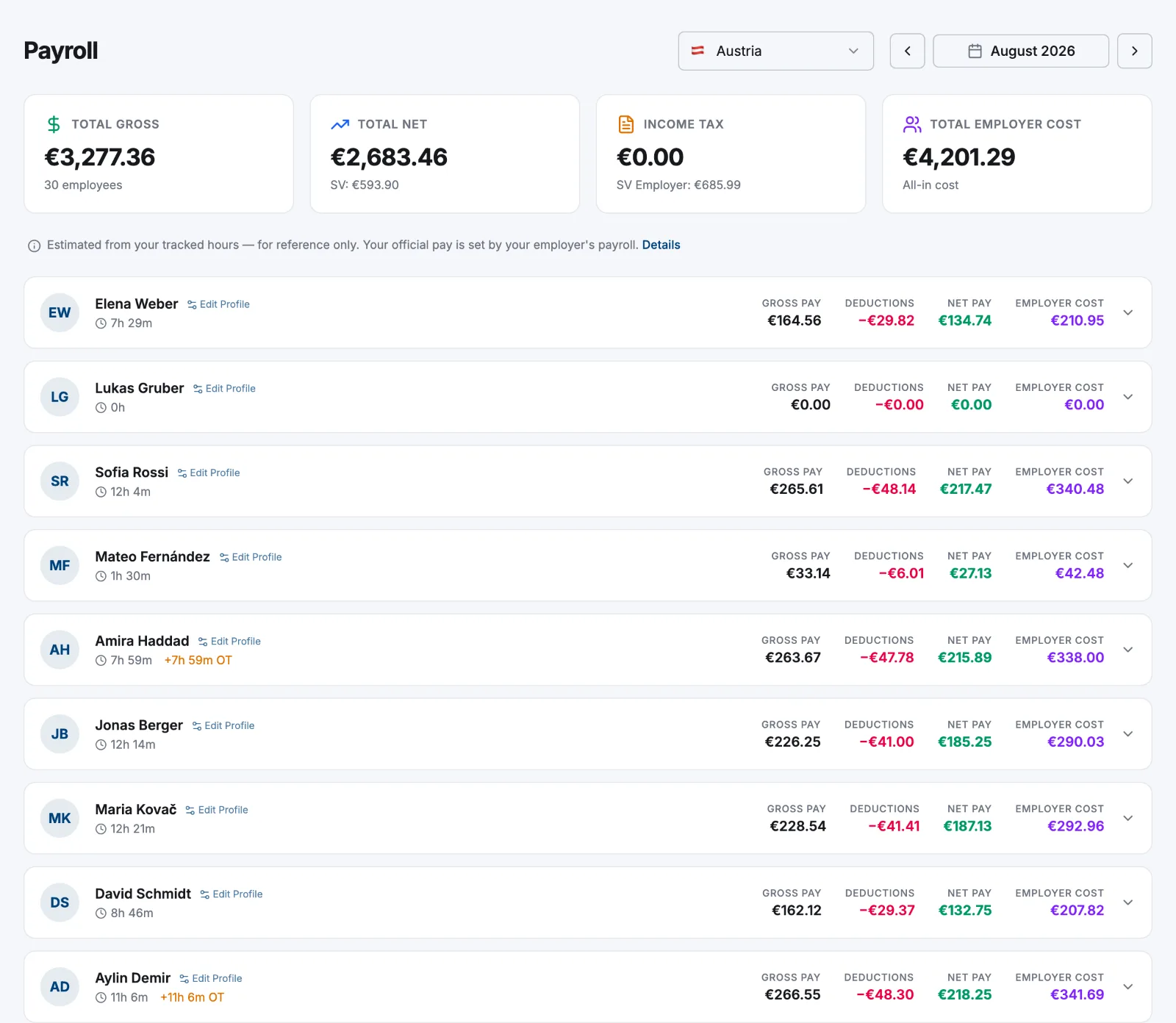
Select Payroll in the sidebar, then use the arrows either side of the month to move back or forward. The month is recalculated each time you land on it.
- 2
Read the four totals
Total Gross, Total Net (with the employee social-security total beneath it), Income Tax (with the employer social-security total) and Total Employer Cost — the all-in cost of the month.
- 3
Open a person's row
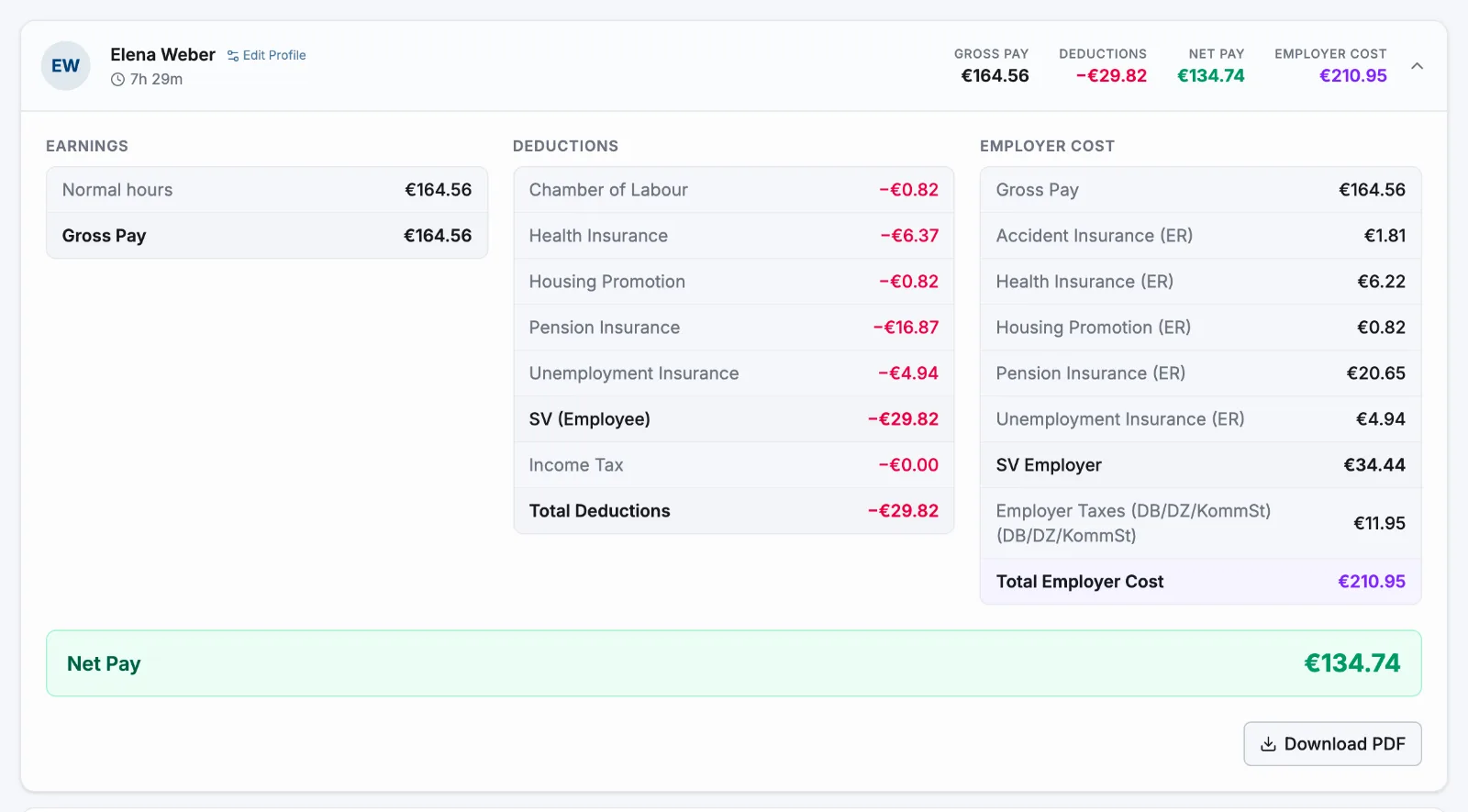
Each row shows their hours, Gross Pay, Deductions, Net Pay and Employer Cost. Select the row to expand Earnings, Deductions and Employer Cost line by line, plus any Warnings.
- 4
Download the PDF
Download PDF in an expanded row gives you a one-page summary for that person and month, in your language and with your logo from Settings → General. It is headed Payslip and carries the reference-only note in its footer, but it is not the official pay statement your employees are entitled to — don't hand it out as one.
Nothing to lock or submit
There's no run to start and no state to finalise. The view is recomputed from your timesheets every time you open the month, and nothing is sent anywhere. Fix a timesheet, change a pay rate or approve overtime, come back, and the month reflects it — so take the PDF or copy the figures out at the moment you're happy with them.
Entries still running (no clock-out) and rejected entries are left out. Everything else counts, whether or not the timesheet has been approved.
Where the numbers come from
- Hours — from timesheets, with overtime measured against the weekly contract. Over-contract time nobody approved earns no overtime premium.
- Rates — the pay rate in force on the month's last day. Salaried contracts pay a flat monthly amount, prorated for a partial month, regardless of hours.
- Contributions, tax brackets and surcharges — the tables you maintain under Settings → Payroll, per year. Atteny applies exactly what's in them; it doesn't keep them current for you and gives no tax advice.
Related articles
Still need help?
Contact support