
Leave balances
Where a balance comes from, how employees see theirs, and how an admin corrects one.
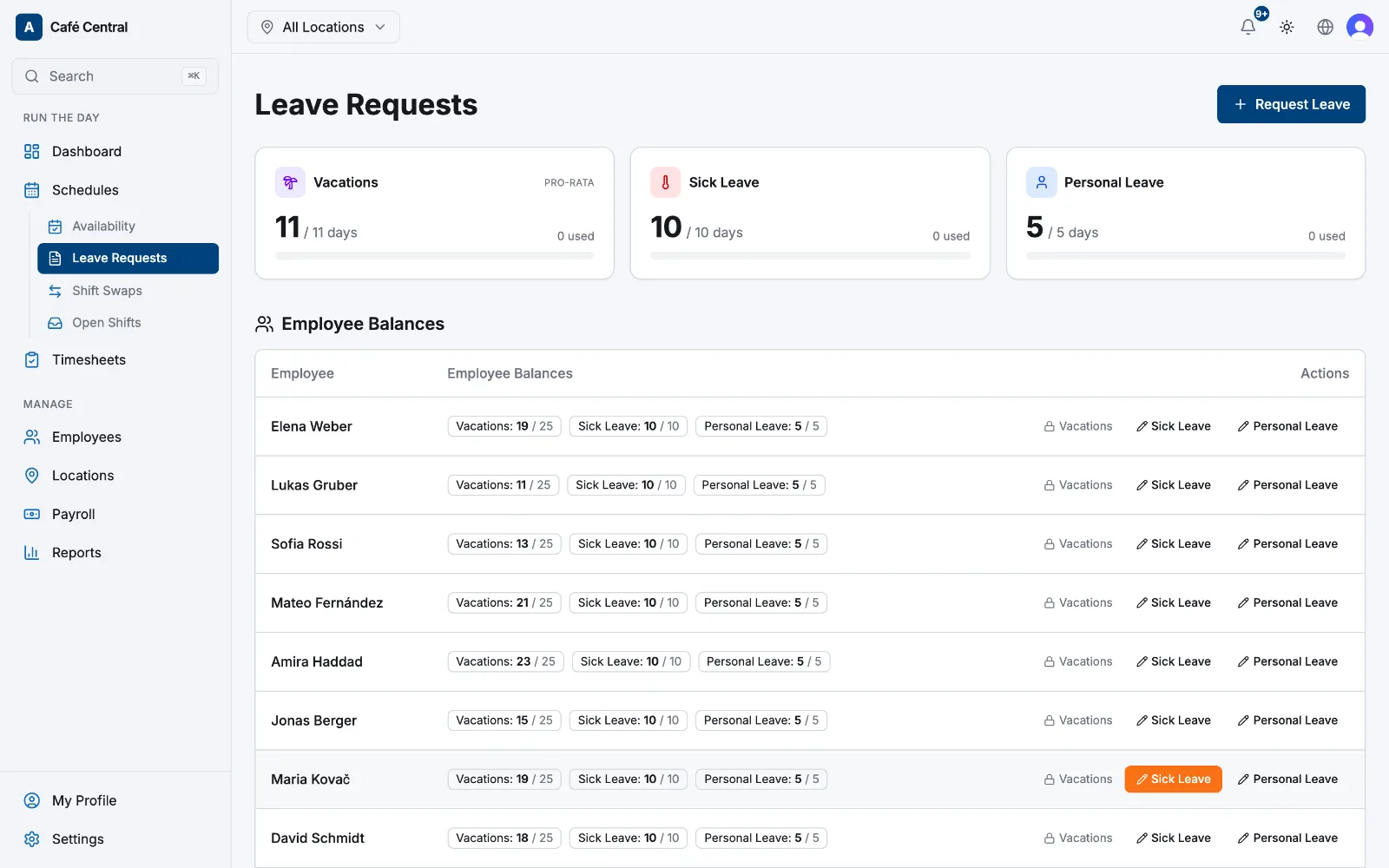
A balance answers one question: how many days of this leave type are left this year? Atteny shows one figure per active leave type — the year's entitlement minus the days already approved.
Where the numbers come from
- Vacation carries a pro-rata tag. Its entitlement is calculated live from the person's start date and your Leave Balance Defaults under Settings → Leave policies, never typed in by hand.
- Every other leave type uses Days per year from its leave rule, unless an admin has set a different figure for that one person.
- Used counts approved requests only — a request that is still pending isn't deducted yet. Days are counted as whole calendar days, start and end included.
- Unpaid leave has no yearly allowance, so it gets no balance card.
Where employees see theirs
Correcting a balance
- 1
Open Employee Balances
Go to Schedules → Leave Requests. Below your own cards, Employee Balances lists each active employee with one chip per leave type — remaining out of total.
- 2
Choose the leave type
Select the pencil button next to the type you want to change. Vacation shows a padlock instead: it's calculated automatically, so adjust it through Settings → Leave policies or by fixing the person's start date on their profile.
- 3
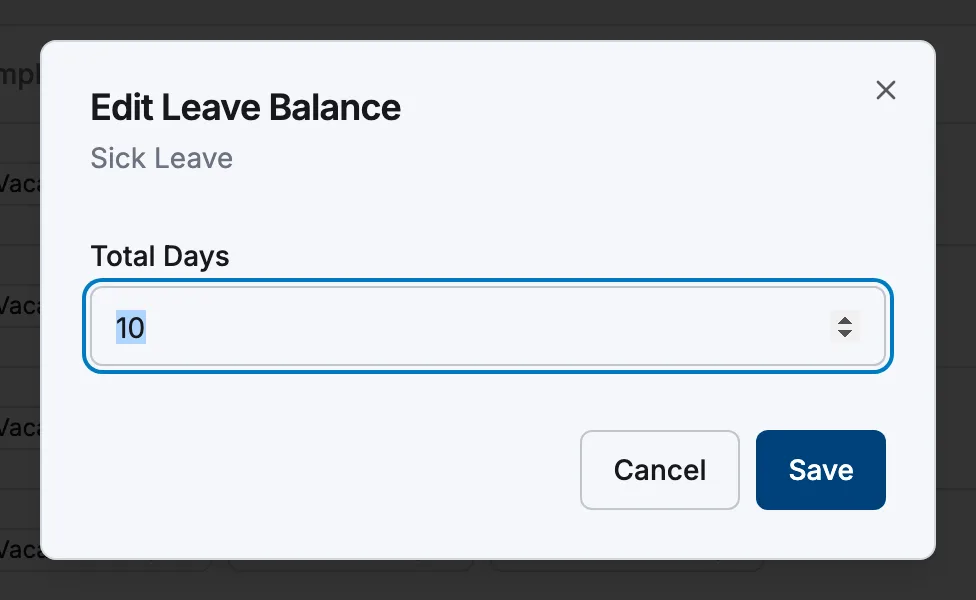
Set the total and save
Enter the figure in Total Days and select Save. That replaces the yearly allowance for this person and this leave type; days already used stay as they are. The change is recorded in the audit log.
Related articles
Still need help?
Contact support