
Leave types and policies
Set up the kinds of leave your team can request, and how vacation entitlement is worked out.
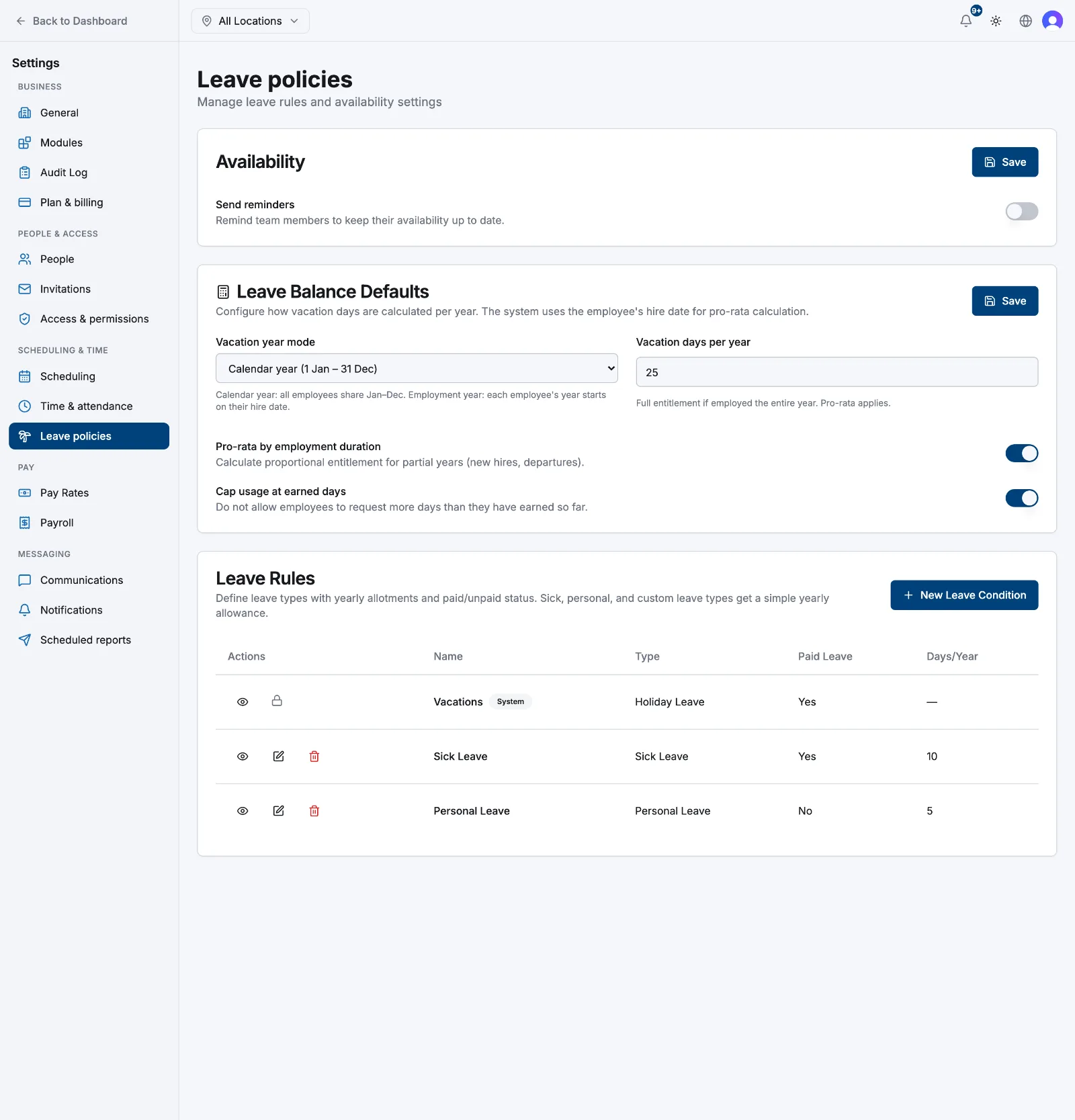
Everything about leave is configured in one place: Settings → Leave policies (under Scheduling & time). It holds the vacation policy and the list of leave types your team picks from when they request time off.
- 1
Open Settings → Leave policies
On your first visit Atteny seeds three rules so the module works out of the box: Vacations, Sick Leave (10 days, paid) and Personal Leave (5 days, unpaid) — plus a starting vacation policy of 25 days on the calendar year. Change any of it.
- 2
Set the vacation policy
In Leave Balance Defaults, choose the Vacation year mode — Calendar year (1 Jan – 31 Dec) or Per employee employment year, which starts each person's year on their hire date. Enter Vacation days per year, then decide on Pro-rata by employment duration and Cap usage at earned days. Select Save.
- 3
Add a leave type
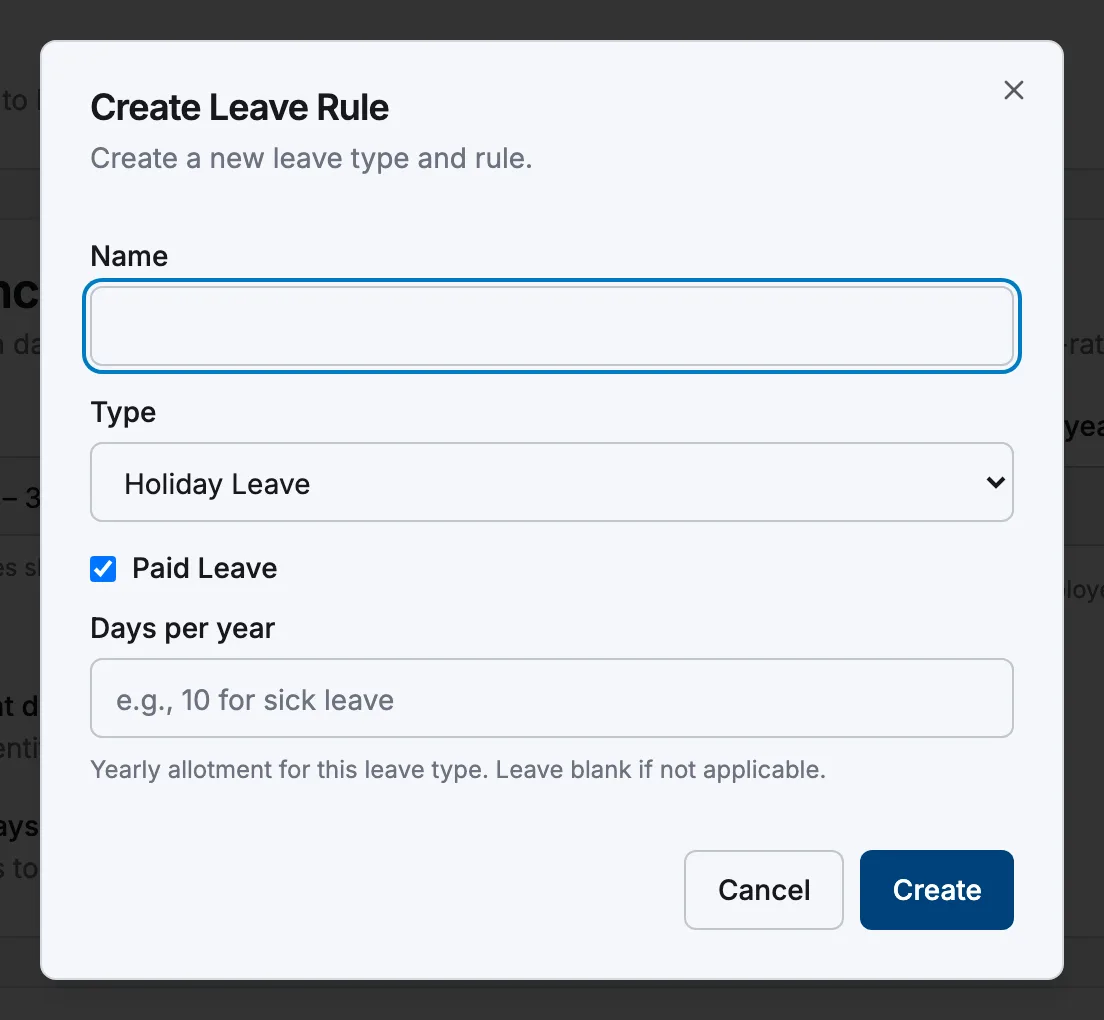
In Leave Rules, select New Leave Condition. Give it a Name, pick a Type (Holiday, Sick, Bereavement, Long Service, Time In Lieu, Unpaid, Personal or Community Service), tick Paid Leave if it applies, and set Days per year — the yearly allotment, which you can leave blank. Select Create.
- 4
Edit or remove a rule
Use the pencil and bin icons in the table. The Vacations row carries a System badge and a padlock instead — its entitlement is calculated, so it can't be edited or deleted.
How entitlement is worked out
Vacations is calculated live from each person's start date. With Pro-rata by employment duration on, the entitlement is the yearly figure multiplied by the share of the vacation year they were employed, rounded to whole days; with it off, anyone employed during the year gets the full figure. Someone with no start date on their profile gets zero.
Every other rule uses its flat Days per year — no accrual through the year. With Cap usage at earned days on, a vacation request bigger than the days earned and still free is refused, counting approved and pending requests.
Related articles
Still need help?
Contact support