
Premium pay and surcharges
Extra percentages for Sunday, holiday or night hours — set once for the company, overridden per person where needed.
Atteny can add extra money on top of the hourly rate for hours worked on a Sunday, on a public holiday, or at night. It takes two things: a rate, and a decision about who earns it. Set only one of the two and nothing changes.
- 1
Set the rate
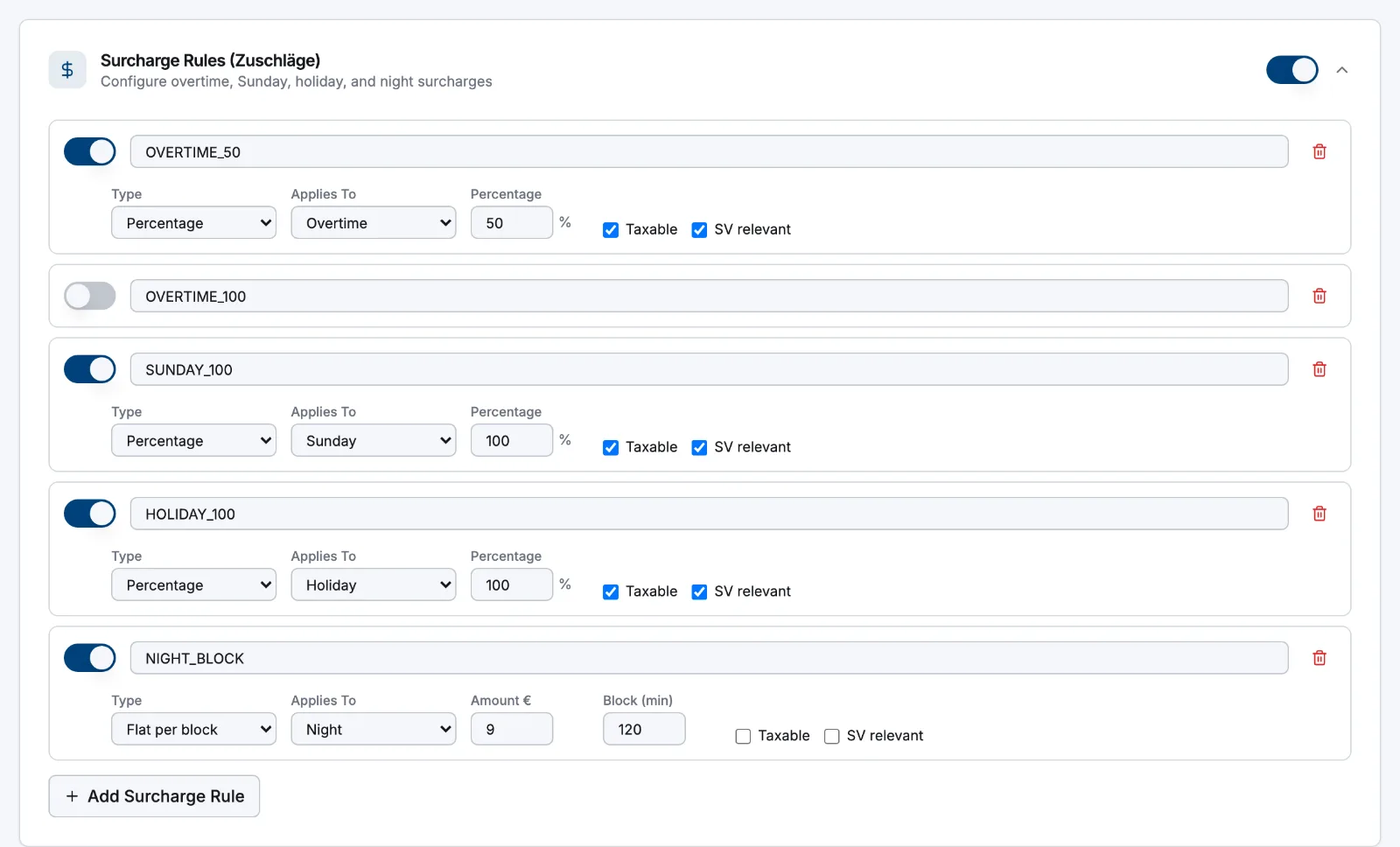
Go to Settings → Payroll and open Surcharge Rules (Zuschläge). Each rule has a Rule ID, a Type (Percentage, Flat per hour or Flat per block) and an Applies To category (Overtime, Sunday, Holiday, Night). Percentage is entered as a whole number. Flat per block pays only whole completed blocks — 90 minutes earns nothing against a Block (min) of 120. Add more with Add Surcharge Rule, then Save at the top right.
Atteny applies exactly the percentages you type. It has no built-in statutory or collective-agreement rates, so take them from your agreement or from whoever runs your payroll.
- 2
Switch the premium on for the company
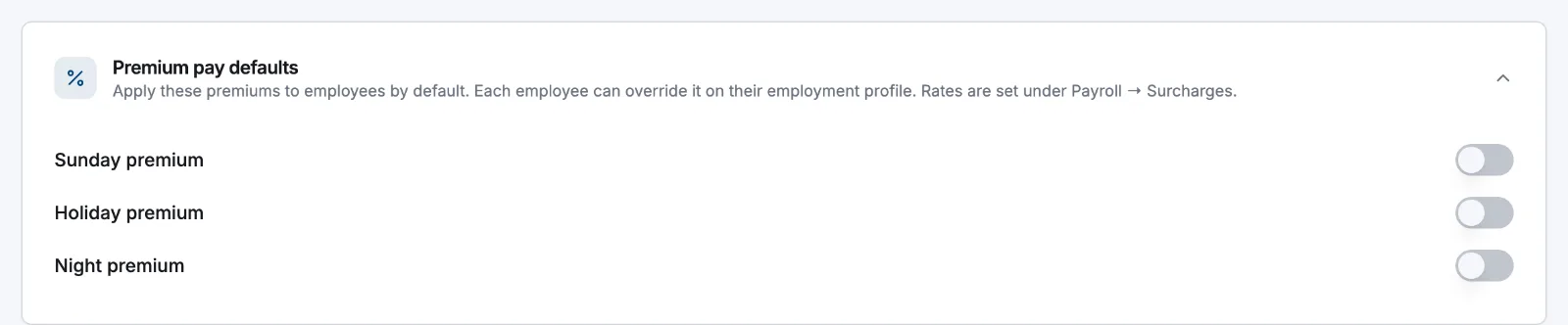
Still under Settings → Payroll, open Premium pay defaults and use the Sunday premium, Holiday premium and Night premium switches. These save as you toggle them.
- 3
Override it for one person
Open Employees → the person → Employment details → Edit and set each category under Premium pay to Company default, On or Off — for people whose agreement differs from everyone else's.
What each premium claims
| Premium | Hours it claims | Also needs |
|---|---|---|
| Sunday | every hour on a local Sunday | — |
| Holiday | hours on a national public holiday | a Country set in Settings → General |
| Night | hours inside the night window | Track night hours and the window under Settings → Time & attendance |
Public holidays come from a built-in national calendar for Austria, Germany and Spain. Regional holidays and manual entries aren't supported yet.
How it lands in the estimate
Premium hours are carved out of the month first, so they never count toward the weekly overtime threshold. A 58-hour week against a 40-hour contract, including an 8-hour Sunday, splits as 40 regular + 18 overtime; with the Sunday premium applied it becomes 40 regular + 10 overtime + 8 Sunday hours. When an hour could qualify twice, the order is holiday, then Sunday, then night — each hour counts once.
In the payroll view, expand a person to see the Earnings list: a base line for those hours (for example Sunday base) plus a separate line named after the rule that added the premium. Salaried contracts are a flat monthly wage, so premiums are absorbed and no premium lines appear.
Related articles
Still need help?
Contact support