
The audit log
Who changed what, and when — the record behind sensitive settings and approvals.
Whenever someone changes something that matters — approves a timesheet, edits a pay rate, moves a person between locations, changes a company setting — Atteny writes a line to the audit log. It's the record you reach for when you need to know who did what, and when.
- 1
Open the audit log
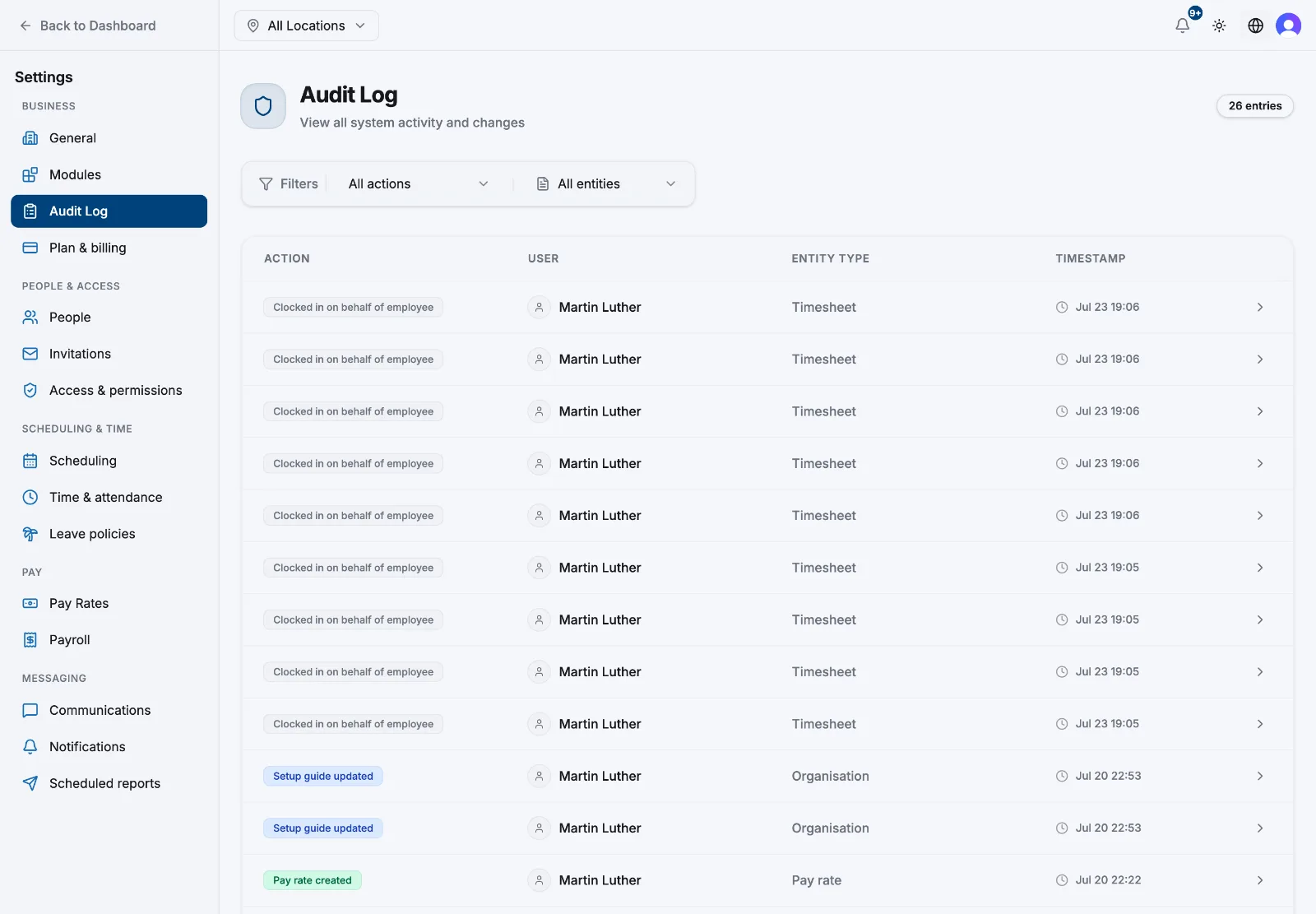
Go to Settings → Audit Log. Entries are listed newest first, and the badge beside the title tells you how many are loaded.
- 2
Read a row
Each row shows four things: Action (what happened, as a coloured label), User (who did it), Entity Type (what kind of record it touched), and Timestamp in your company's date and time format.
- 3
Narrow it down
Two dropdowns sit above the list — All actions and All entities. Both are built from what has actually happened in your account, so you only ever see options that exist. There is no date or person filter.
- 4
Open an entry for the detail
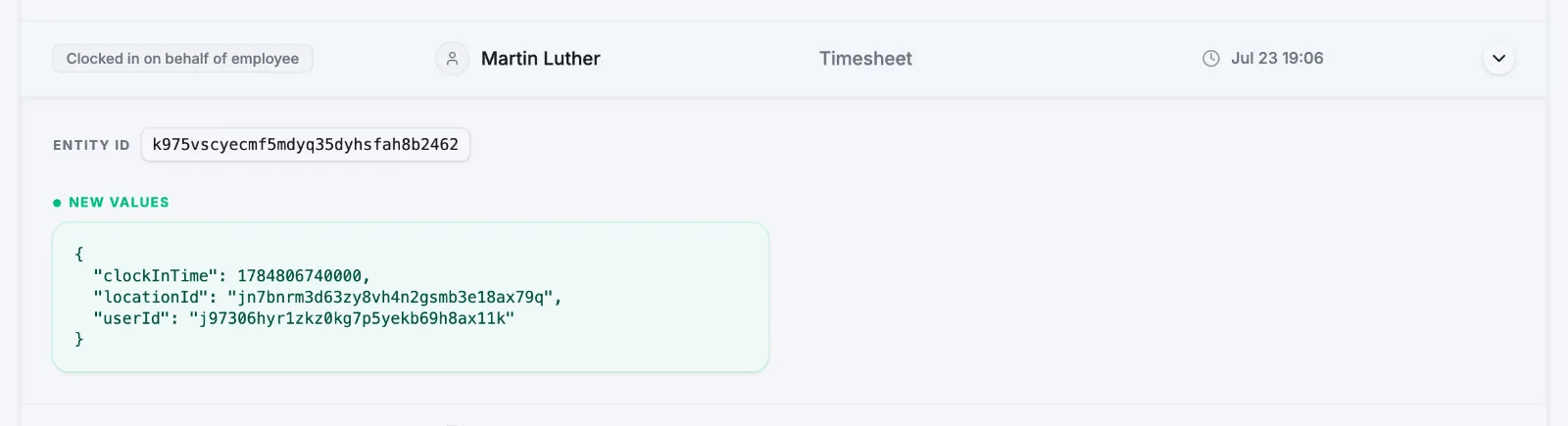
Rows that carry a before-and-after snapshot have a chevron on the right. Select the row to expand it and you'll see the Entity ID plus Previous Values and New Values — the exact fields that changed. Rows without a snapshot (a delete, an approval) don't expand.
What gets recorded
| Area | Examples |
|---|---|
| People and access | Employee updated, employment details updated, locations set, onboarding completed, device cleared, employee deleted |
| Invitations | Created, re-sent, cancelled, accepted |
| Timesheets | Approved, rejected, created manually, edited, deleted, clock-in or check-out verified, clocked in on behalf of someone |
| Overtime and TOIL | Overtime approved, rejected or unapproved; TOIL accrued, requested, approved, rejected |
| Leave | Requests approved, rejected or cancelled; leave rules and balance overrides |
| Scheduling | Shifts created, updated or deleted; auto-schedule applied; open shifts claimed or released; shift swaps |
| Pay | Pay rates created, updated or deleted; payroll config and payroll runs |
| Company setup | Organisation details, settings, modules, locations and location settings, areas, NFC tags, employment types |
| Reports | Report exported; scheduled reports created, updated or deleted |
| Account | Company created; account deletion requested and completed |
How far back it goes
The page loads the 200 most recent entries — filtered first if you've picked an action or entity, so a filter reaches further back than the unfiltered list. Older entries stay in your account; they're simply not served to this page, and nothing deletes them on a schedule. The audit log is available on every plan.
Related articles
Still need help?
Contact support