
Roles and permissions
What administrators, managers and employees can each do, and the switches that change it.
Everyone holds exactly one of three access levels: Admin, Manager or Employee. You pick it when you invite someone, and change it later on their Employment details tab under Atteny access level. Admins are company-wide, managers are scoped to the locations they're assigned to, employees see their own data.
What each role can do
| Capability | Admin | Manager | Employee |
|---|---|---|---|
| Clock in and out, see own hours (phone app) | Yes | Yes | Yes |
| Approve or reject timesheets | Anyone | Assigned locations, never their own | No |
| Edit timesheets | Yes | Only where the location allows it, never their own | No |
| Approve leave requests | Anyone | Assigned locations, never their own | No |
| Invite people | Any role | Employees only, own locations only | No |
| Change an access level | Yes | No | No |
| Edit employment details (pay rate, employment type, status, start date, overtime) | Yes | No | No |
| Edit someone else's personal profile | Anyone | Employees at own locations only | No |
| Deactivate an employee | Yes | No | No |
| Create or deactivate a location | Yes | No | No |
| Edit a location's name and address | Yes | Assigned locations | No |
| Change GPS, NFC or a location's active status | Yes | No | No |
| Assign employees to locations | Yes | No | No |
| Create and edit schedules | Yes | Only when switched on, assigned locations | No |
| See pay rates and labour cost | Yes | Only when switched on | Own figures |
| Payroll | Yes | No | No |
| Reports | Yes | Yes | No |
| Company settings | Yes | No | No |
Colleagues' profiles are trimmed for everyone but an admin: bank details are readable only by an admin or the person themselves, and a national ID shows masked to managers. See Employee profiles. Any money figure worked out from tracked hours, an employee's own earnings included, is a reference figure and not official pay.
The switches that widen manager reach
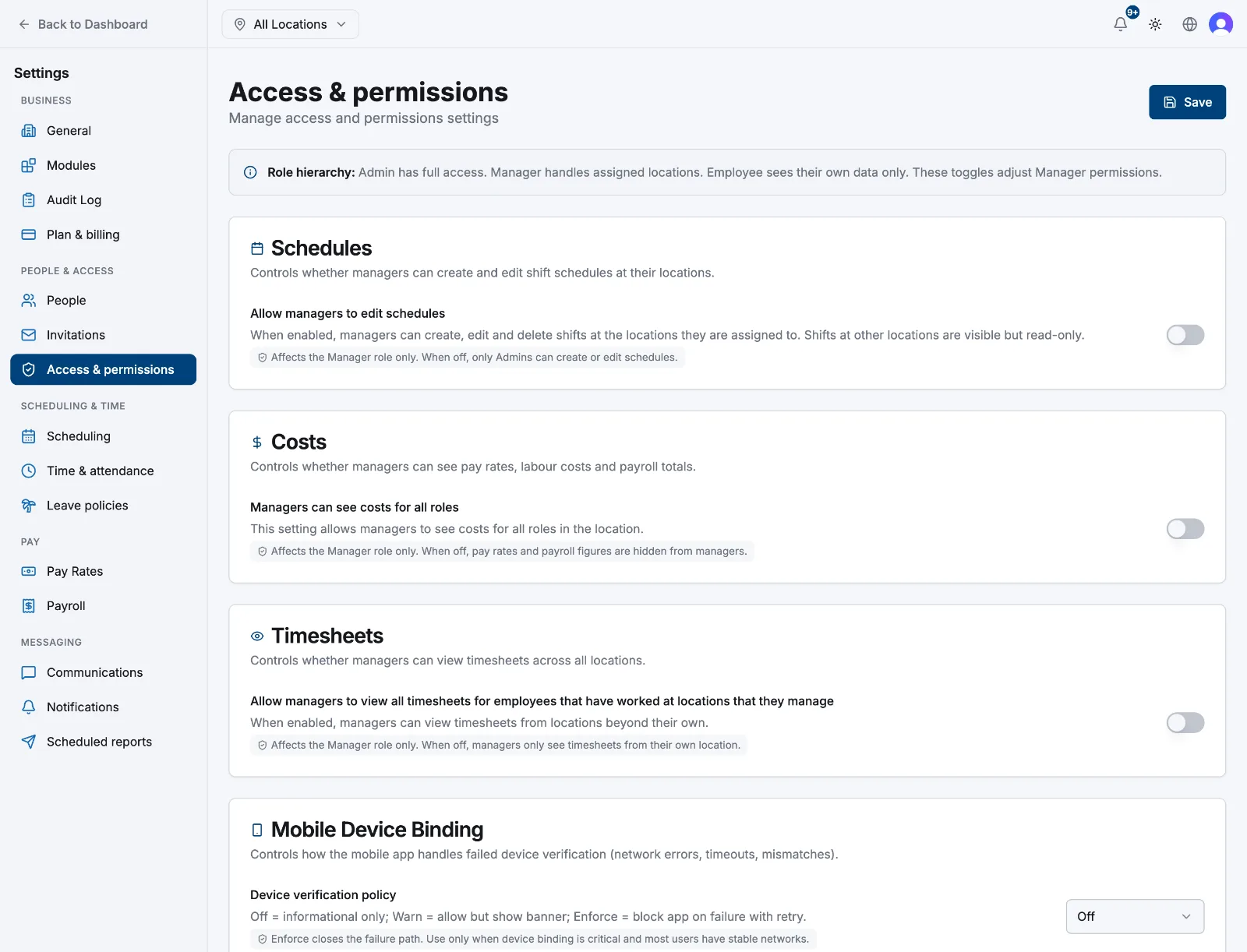
Go to Settings → Manager permissions. All three are off by default, affect the Manager role only, and only an admin can save them.
- Allow managers to see data beyond their own location, under Location scope. On, this lifts a manager's location boundary almost everywhere: timesheets, dashboard, employees, schedules, leave, reports.
- Allow managers to edit schedules: while off, only admins create or edit shifts. On, managers can still only touch their assigned locations.
- Managers can see costs for all roles: while off, pay rates and payroll figures are stripped from everything a manager loads.
Related articles
Still need help?
Contact support