
One phone per person: device binding
Choose Off, Warn or Enforce, see whose phone is registered, and release a device when someone changes or loses their phone.
Device binding ties each person to one phone, so a shift cannot be started from a colleague's phone. You choose how strict it is for the whole company, and you release a phone when someone gets a new one.
Choose the mode#
- 1
Open Time and attendance
Go to Settings, then Time & attendance. The Mobile Device Binding card holds Device verification policy.

- 2
Pick Off, Warn or Enforce
- Off: nothing is recorded and no phone is tied to anyone. No check runs when the app opens or at clock-in.
- Warn: the first phone a person uses becomes theirs. A clock-in, a break or a clock-out from another phone is allowed and written to the Audit Log.
- Enforce: the first phone becomes theirs in the same way. A clock-in, a break or a clock-out from any other phone is refused.
- 3
Save
Select Save at the top. It stores every setting on the page, not only this card.
Look at what is selected before you rely on it. A company created by sign-up since 25 August 2026 starts on Enforce. An older company that never made a choice is on Off.
Under the choice, a line says how many people have a device registered and how many have none yet.
What your team sees in the app#
In Warn and Enforce alike:
- Their first phone is registered when they open the app. If you switched the mode on while they were already signed in, it is registered at their first clock-in. They do nothing.
- Another phone shows New Device Detected with Switch to This Device. A person can switch 2 times in a calendar month, counted in the company's time zone. After that, a further phone shows Device Limit Reached and the app does not open there until the next calendar month begins or the device is released. The registered phone keeps working.
- A phone that belongs to a colleague cannot be taken over. The app shows Device already in use, names the colleague and offers Sign Out and a help link. To hand the phone on, release it from the colleague's profile first.
- No connection when the app opens. In Enforce the app shows Device verification required and tries again by itself when the connection returns. An offline phone that Atteny last accepted opens normally. In Warn the app opens with a warning banner.
The page for your team is "This account is registered to another device".
See who is registered and release a device#
Devices are managed on the web. Open Employees, select the person, and open Personal. The Device Registration card is near the bottom.
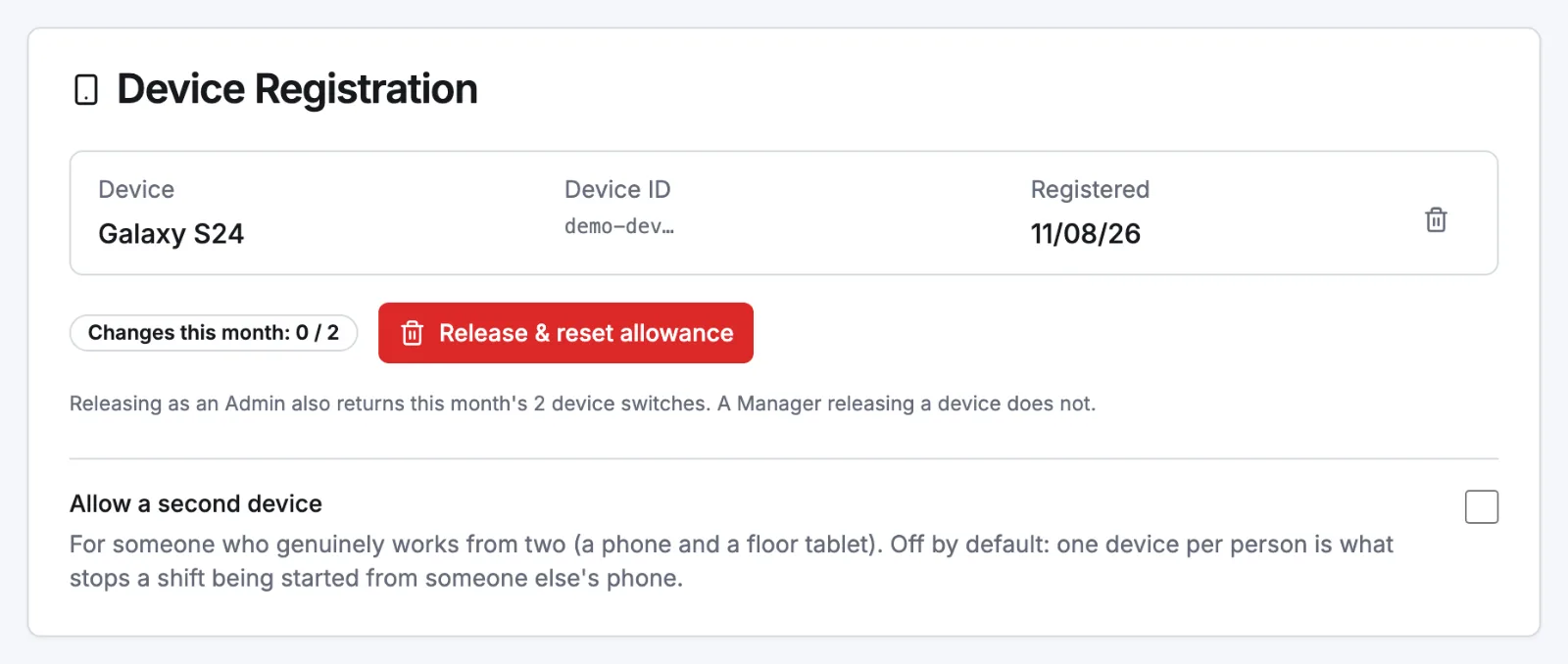
As an admin you see each device with its name and the date it was registered, and Changes this month out of 2.
- Release & reset allowance releases the person's devices and gives back this month's 2 switches.
- The bin on a device's row removes that one device and leaves the other. It does not give back the month's switches.
- Allow a second device is for someone who really works from two, for example a phone and a tablet. It cannot be switched off while the person still has two devices registered: remove one first. With two allowed, a switch replaces the device registered longest ago.
As a manager you see the card only for an employee who shares a location with you. It shows how many devices are registered and Release device. Your release does not give back the month's switches. Only an admin's does.
After a release the person has no registered phone. The next phone they open the app on becomes theirs, without using up a switch.
When someone leaves or comes back#
Disabling a person does not release their device. Erasing their data does, and so does reconnecting the record of a person who returns. After either, the phone is free to be registered by someone else. See When someone leaves.
Related articles
Still need help?
Contact support