

Workforce Management,Made Simple
Clock in with your phone: a tap on the NFC tag at the door, a GPS check, or a manual entry your manager reviews, straight into approved timesheets and payroll-ready reports.
Free for up to 5 people · No credit card · Set up in minutes
Tap. Clocked in.
Atteny runs time tracking, scheduling, leave and timesheets for cafés, shops, clinics (every team that works in shifts), and any company that wants to know when its people arrive and leave.
See pricingFree for teams up to 5
English · Deutsch · Español
Apps for web, iOS and Android in every plan
Built for multi-location teams
This is what running your day looks like
Real screens from Atteny, from the morning's who's-in to payroll-ready numbers.
A day with Atteny
Less chasing, more knowing. This is what your week looks like.
07:58
Tap. Clocked in.
Maria taps the NFC tag by the door. Atteny checks the tag belongs to her workplace (clone-proof signed tags supported) and the shift starts. No terminal, no paper.
08:12
You know before the customers do
Jonas hasn't clocked in for the 8:00 shift. His location's manager gets an urgent push notification, not an email nobody reads.
12:30
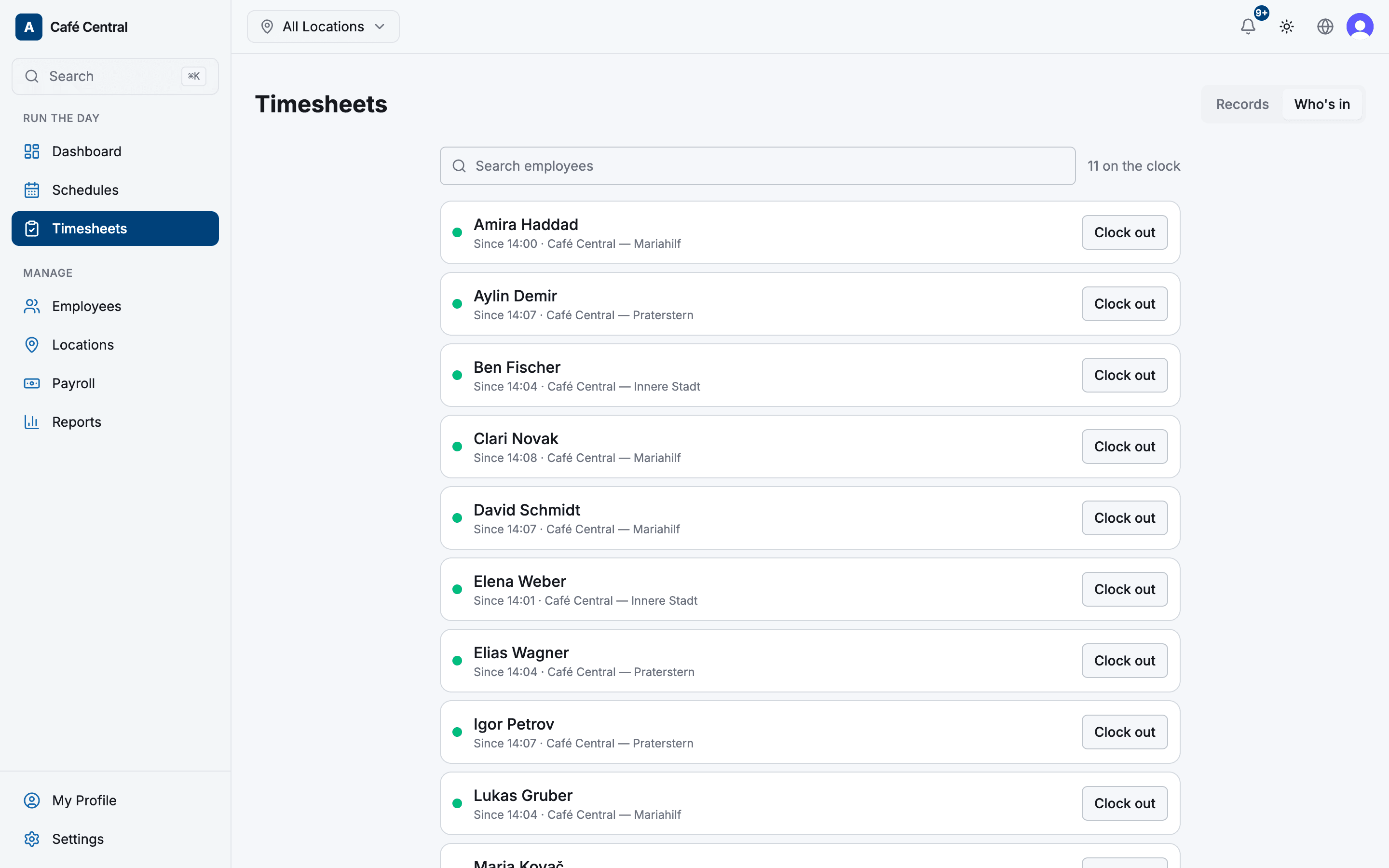
Who's in, at a glance
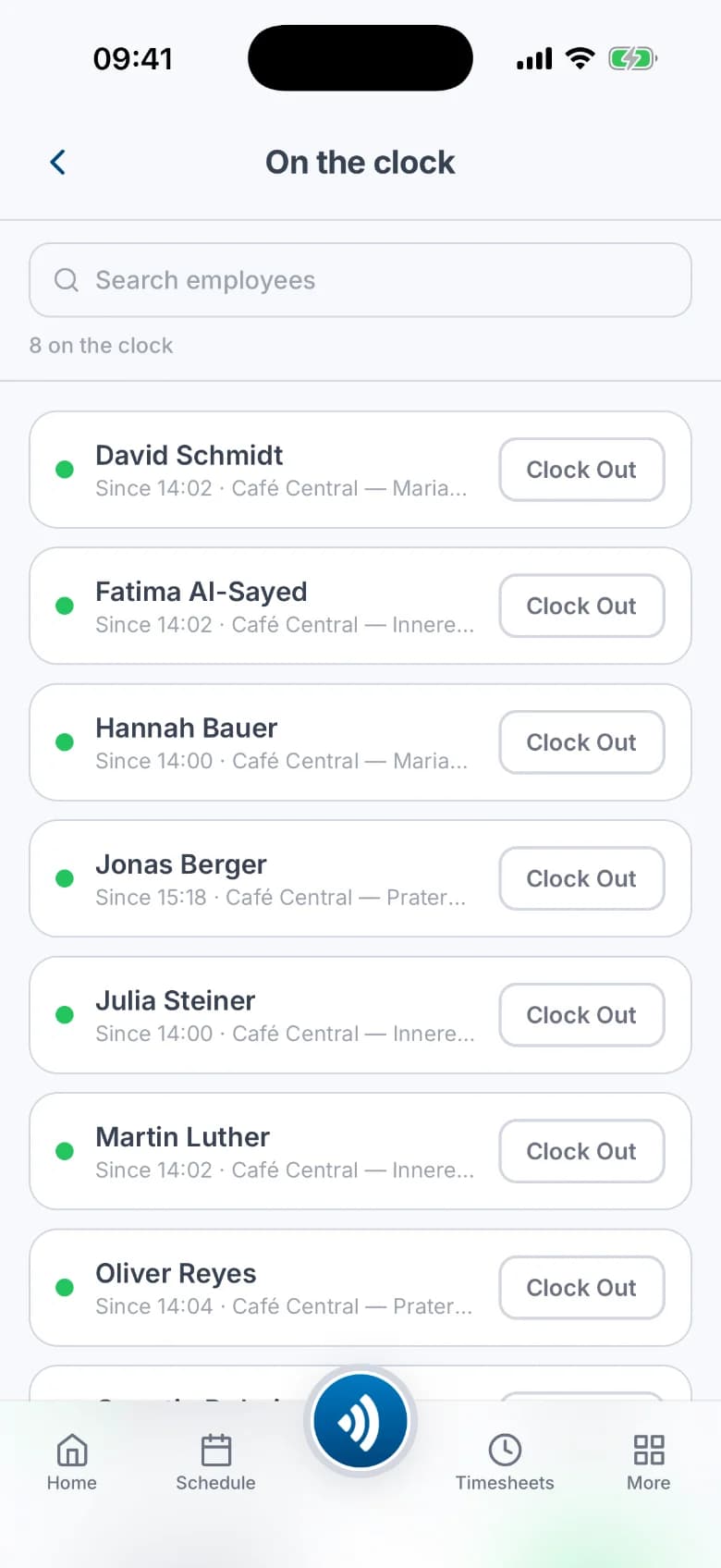
Working, on break, late, absent: live across every location, scoped so managers only ever see their own team.
16:40
Shift swap, settled on the phone
Aylin offers Friday's shift, Ben takes it, the manager approves in one tap. The schedule and everyone's notifications update themselves.
Friday
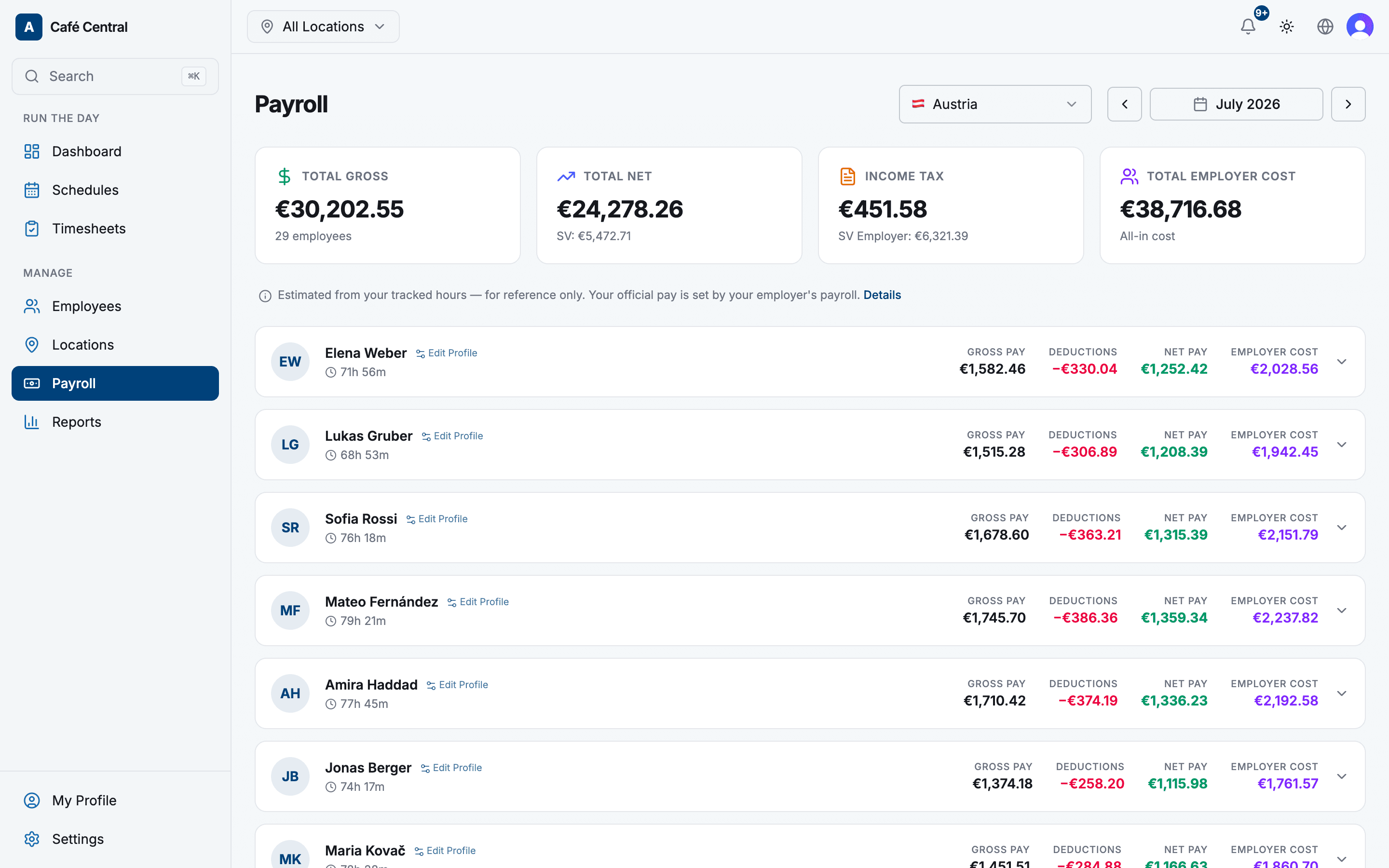
Timesheets close themselves
Forgotten clock-outs are closed automatically and queued for review. Approve the week, and the hours are payroll-ready, with overtime already measured against each contract.
Everything a shift team runs on
One system for time, schedules, absence and the numbers at the end of the month.
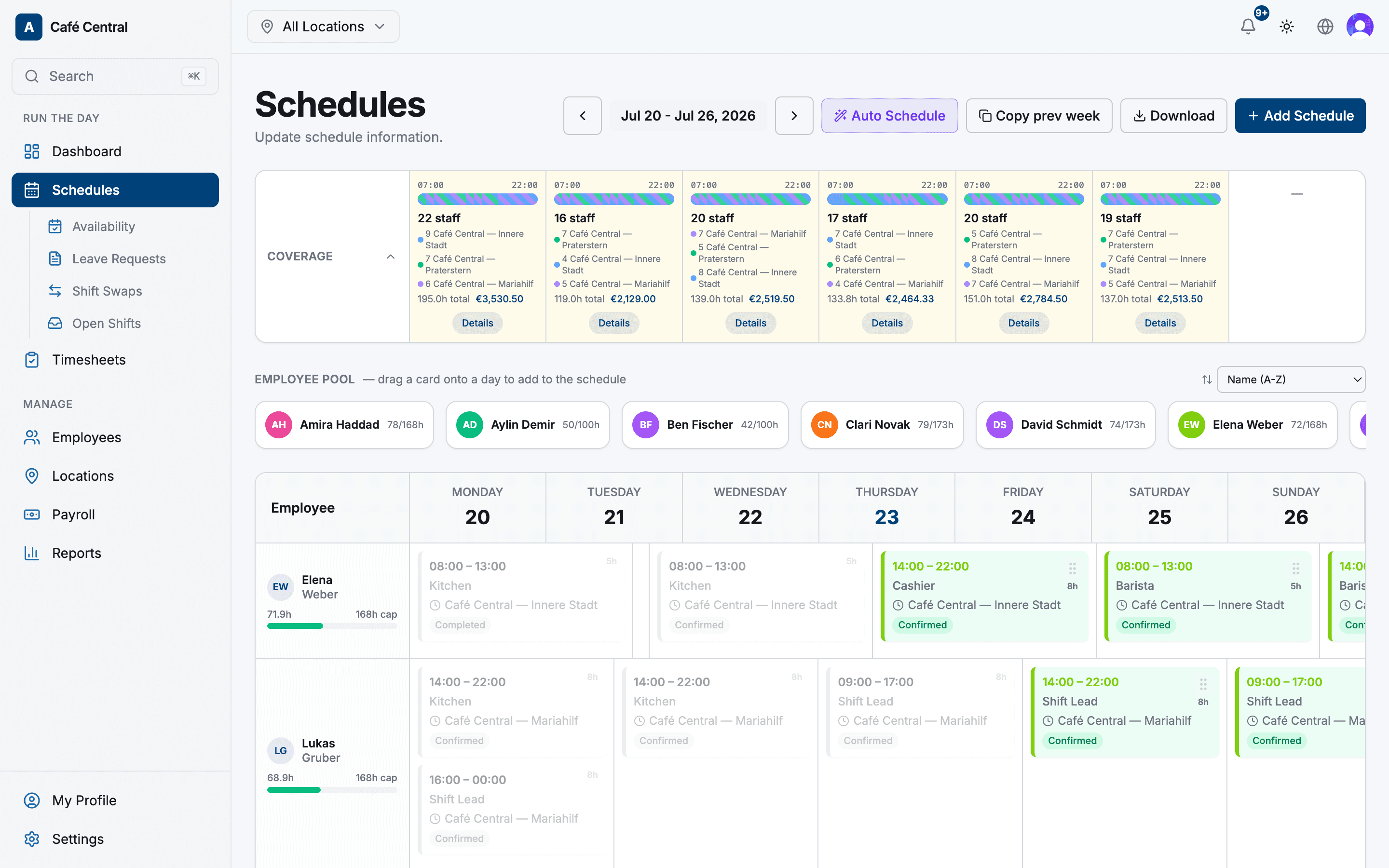
Scheduling & auto-schedule
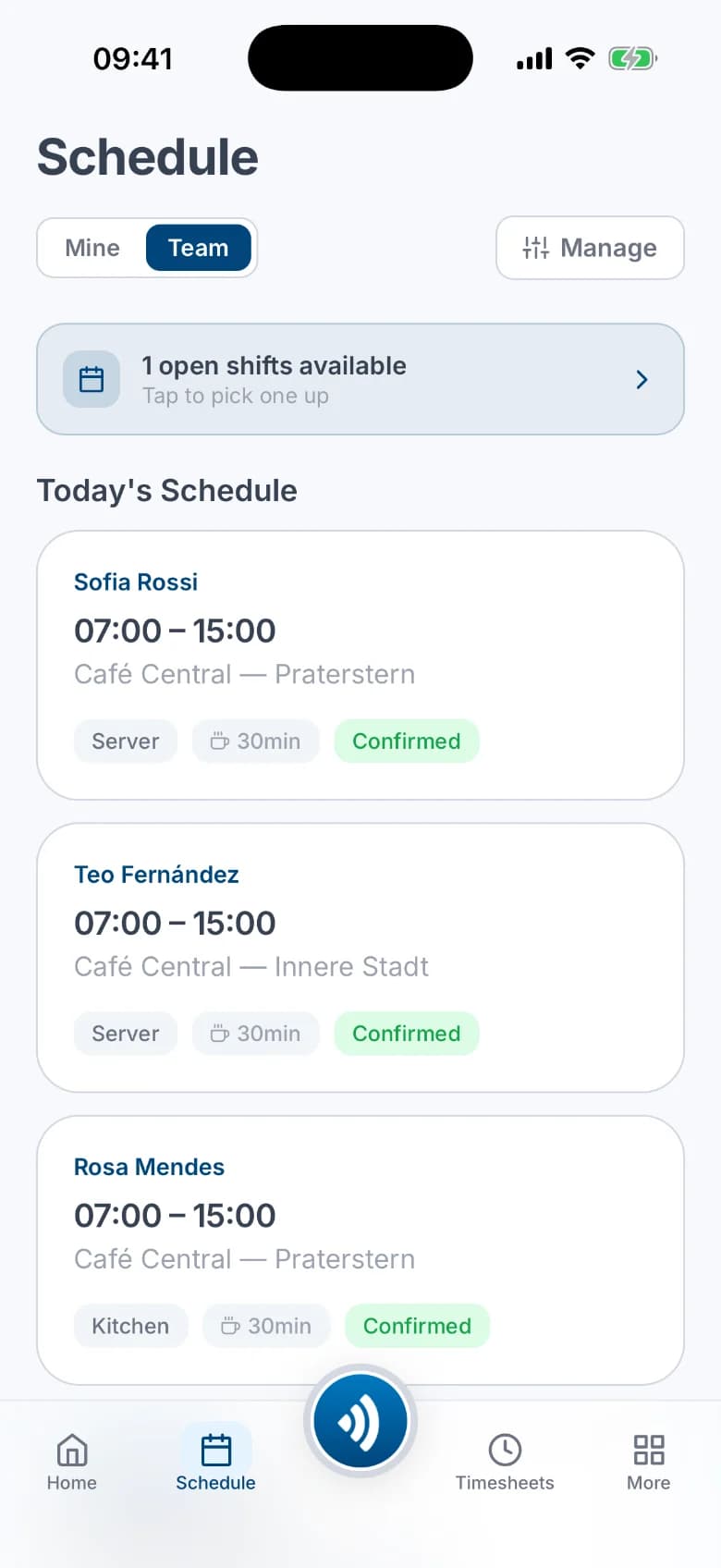
Plan the week with drag-and-drop, or let Atteny draft it from availability, opening hours and contracted hours. Unfilled slots become open shifts your team can claim, and coworkers swap shifts with your approval.
- Drag-and-drop the week
- Draft it from availability and contracts
- Open shifts your team can claim
NFC time clock
Clock in by tapping a tag at the door. Signed, clone-proof tags and a one-device-per-person policy keep buddy punching out, and you can switch on a GPS check for extra security.
- Tap a tag at the door
- One device per person, no buddy punching
- Switch on a GPS check when you need it
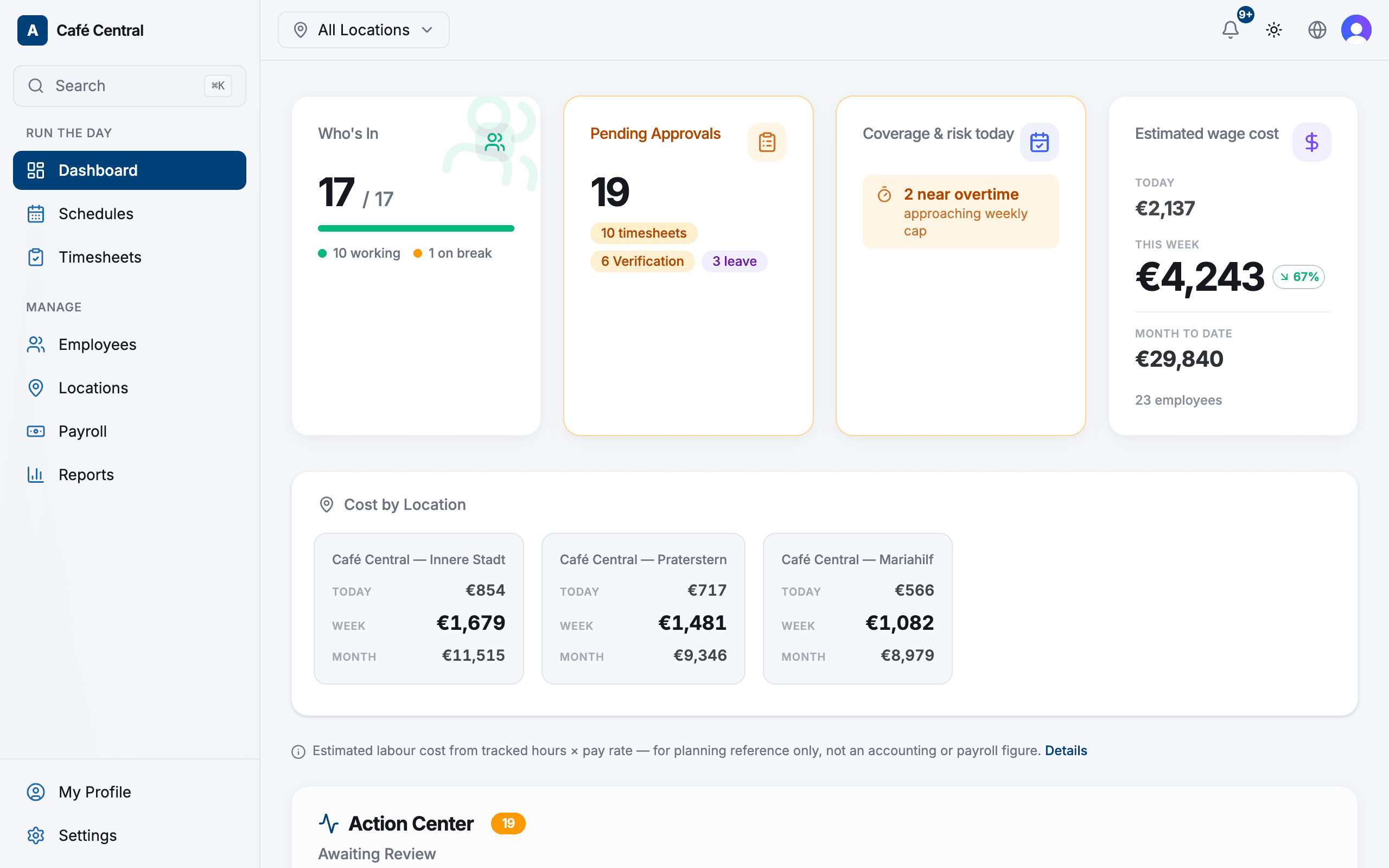
Timesheets & approvals
Review, approve or fix the week in minutes. Every change is logged, and forgotten clock-outs close themselves after a grace period.
- Approve the week in minutes
- Every change is logged
- Forgotten clock-outs close themselves
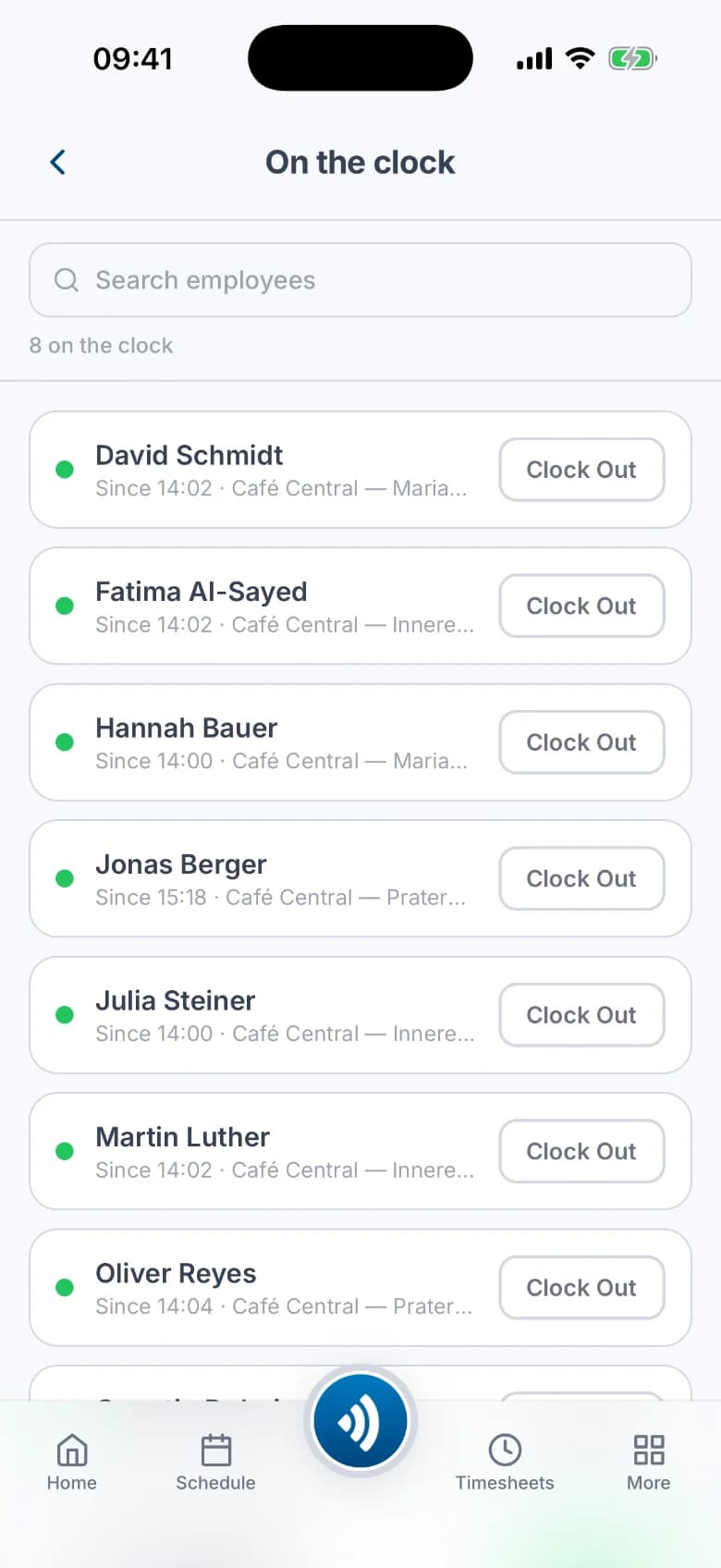
Late & no-show alerts
If a shift starts and nobody clocked in, the location's manager gets an urgent push within minutes, not at the end of the week.
- An urgent push when nobody clocked in
- Sent to that location's managers
- Minutes after the shift starts, not on Friday
Overtime that follows the contract
Hours are measured against each person's weekly contract, so extra hours surface automatically. No side spreadsheet.
Leave & time off in lieu
Eight leave types, balances and pro-rata vacation entitlement, with approvals and push notifications built in.
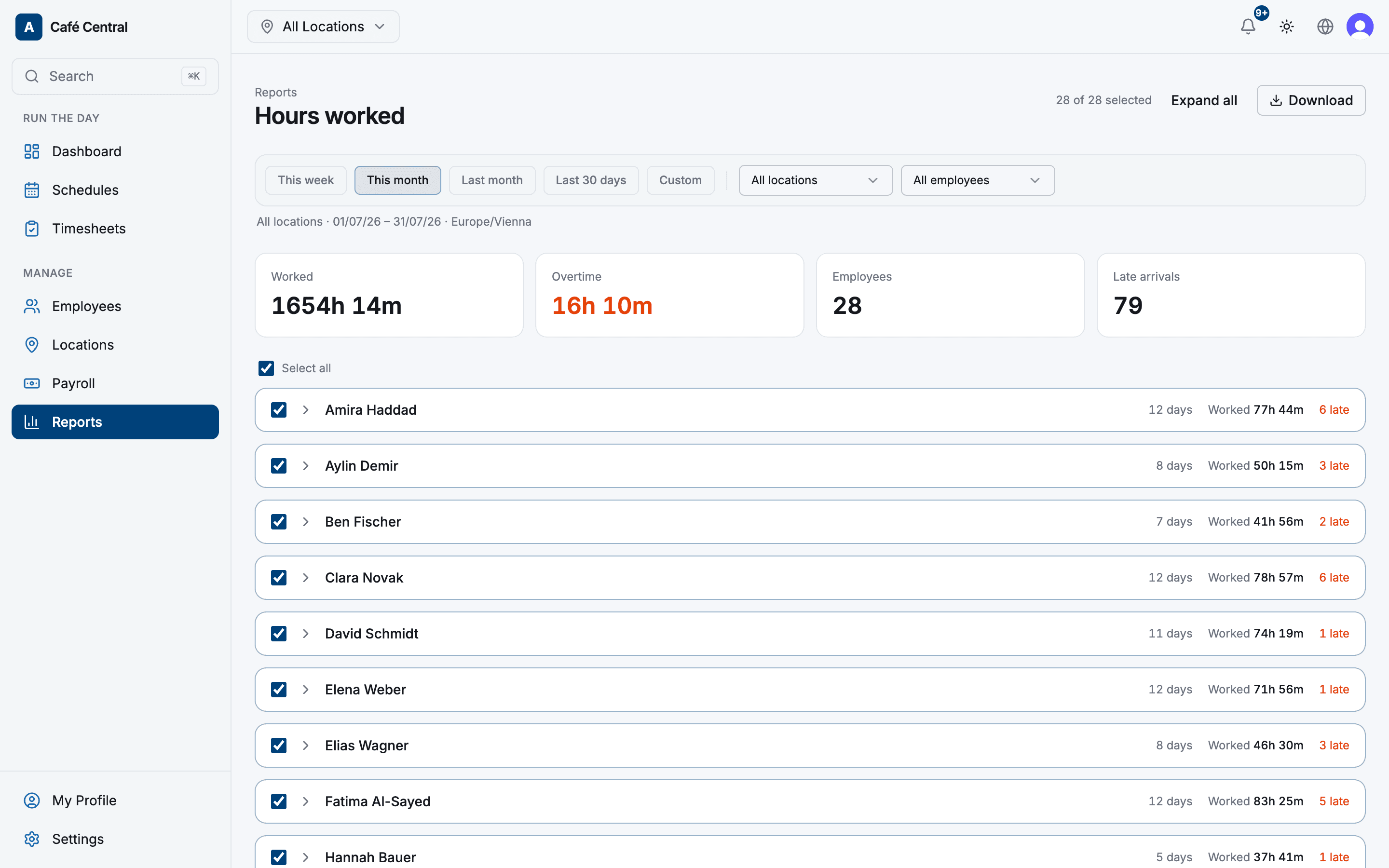
Reports & email digests
Hours, attendance and schedule-vs-actual as CSV or PDF, plus scheduled digests straight to your inbox.
Multi-location & roles
Managers are scoped to their locations: they see their team, get their alerts, and nothing else.
Only running a time clock? Switch the rest off. Atteny's modules keep the app exactly as small as your team needs.
Everything in English, German and Spanish: web, app and notifications.
The whole app, in every pocket
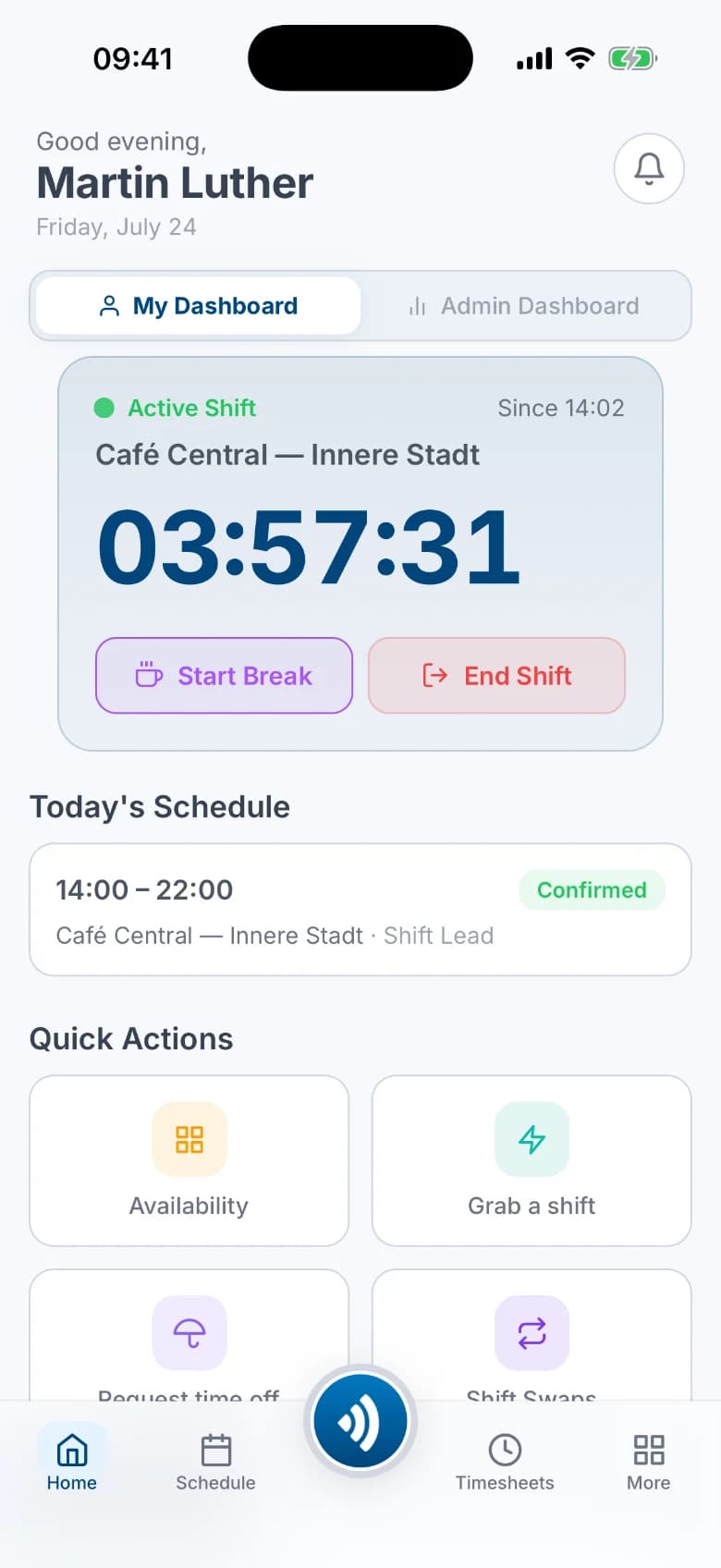
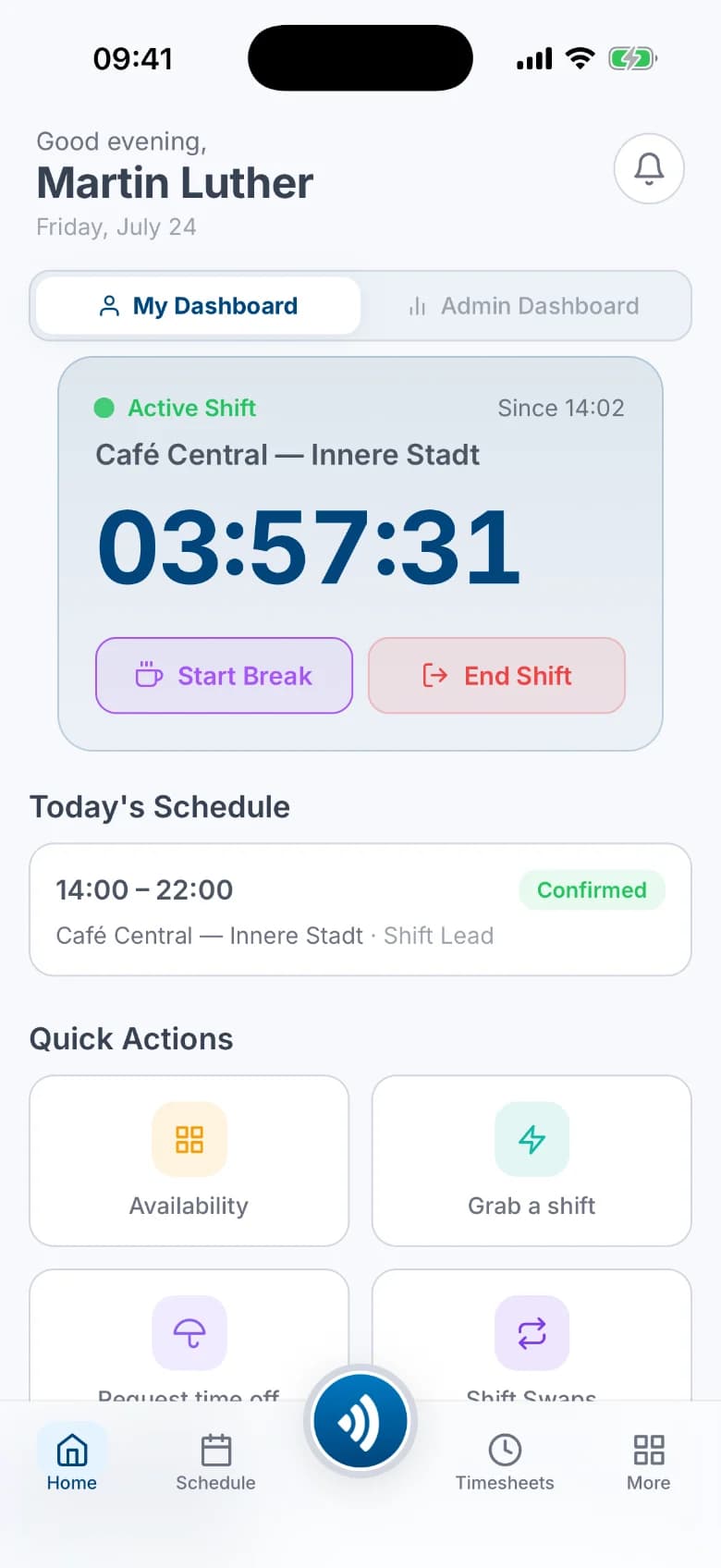
Atteny's mobile app isn't a stripped-down extra. It's the full product. Employees clock in and out, see their schedule, claim open shifts and request leave. Managers approve, adjust and get the alerts that matter, wherever they are.
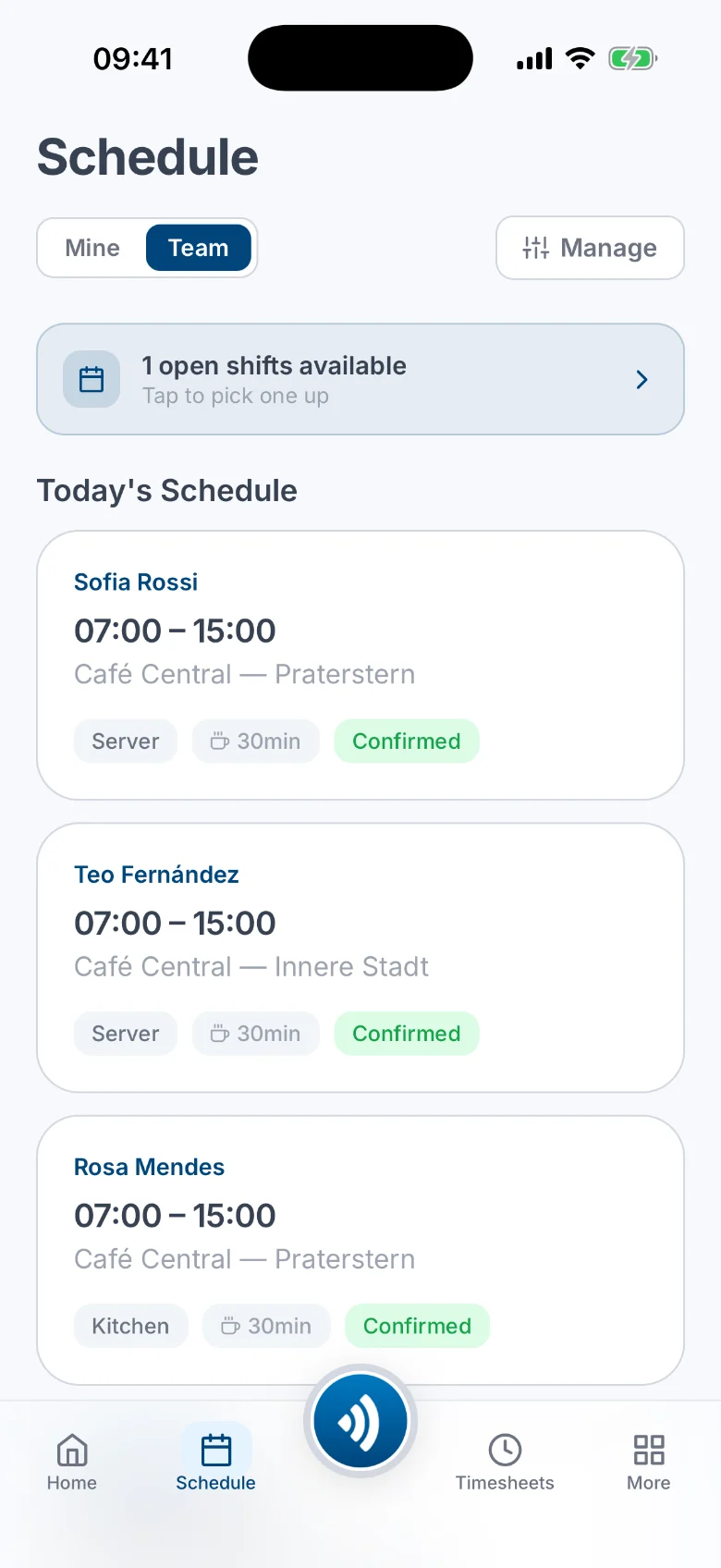
Team schedule 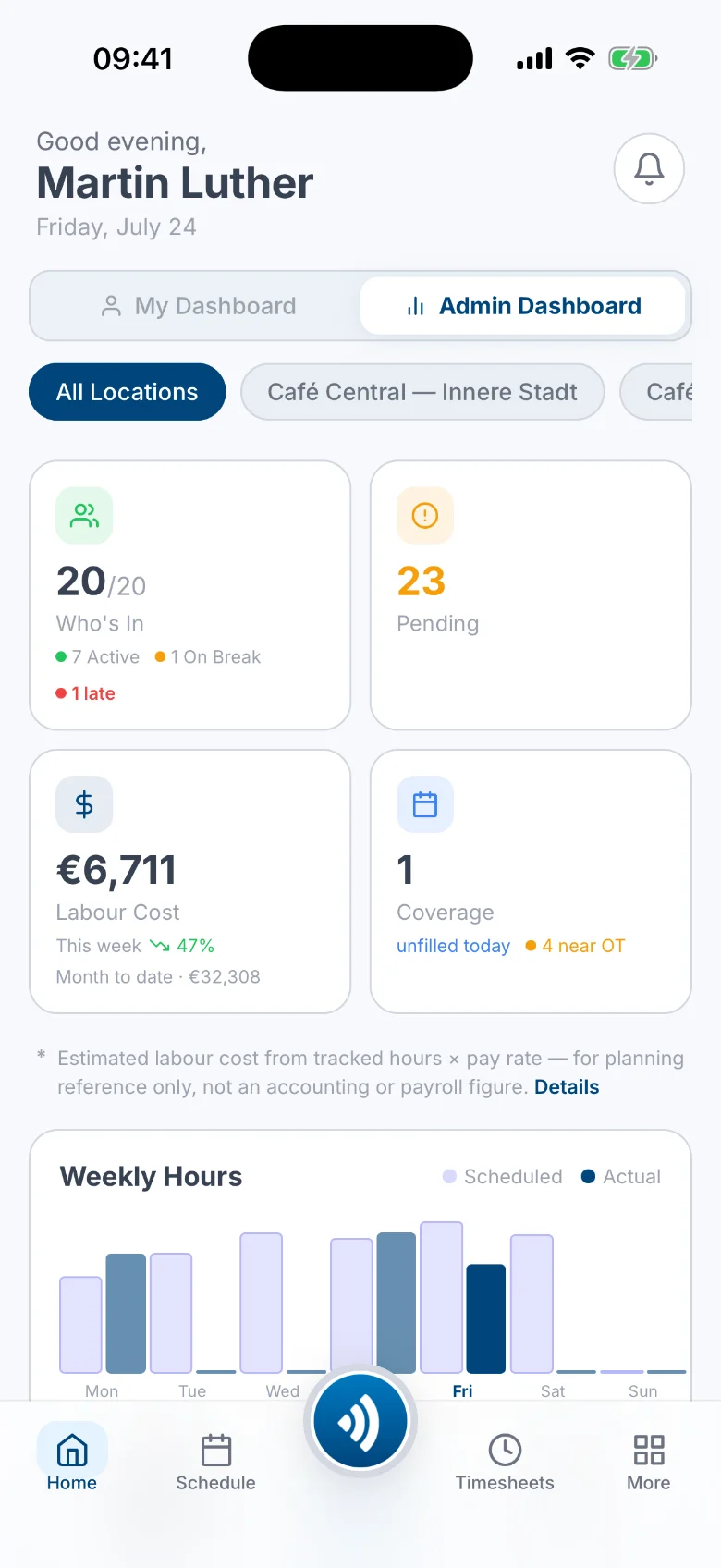
Live dashboard 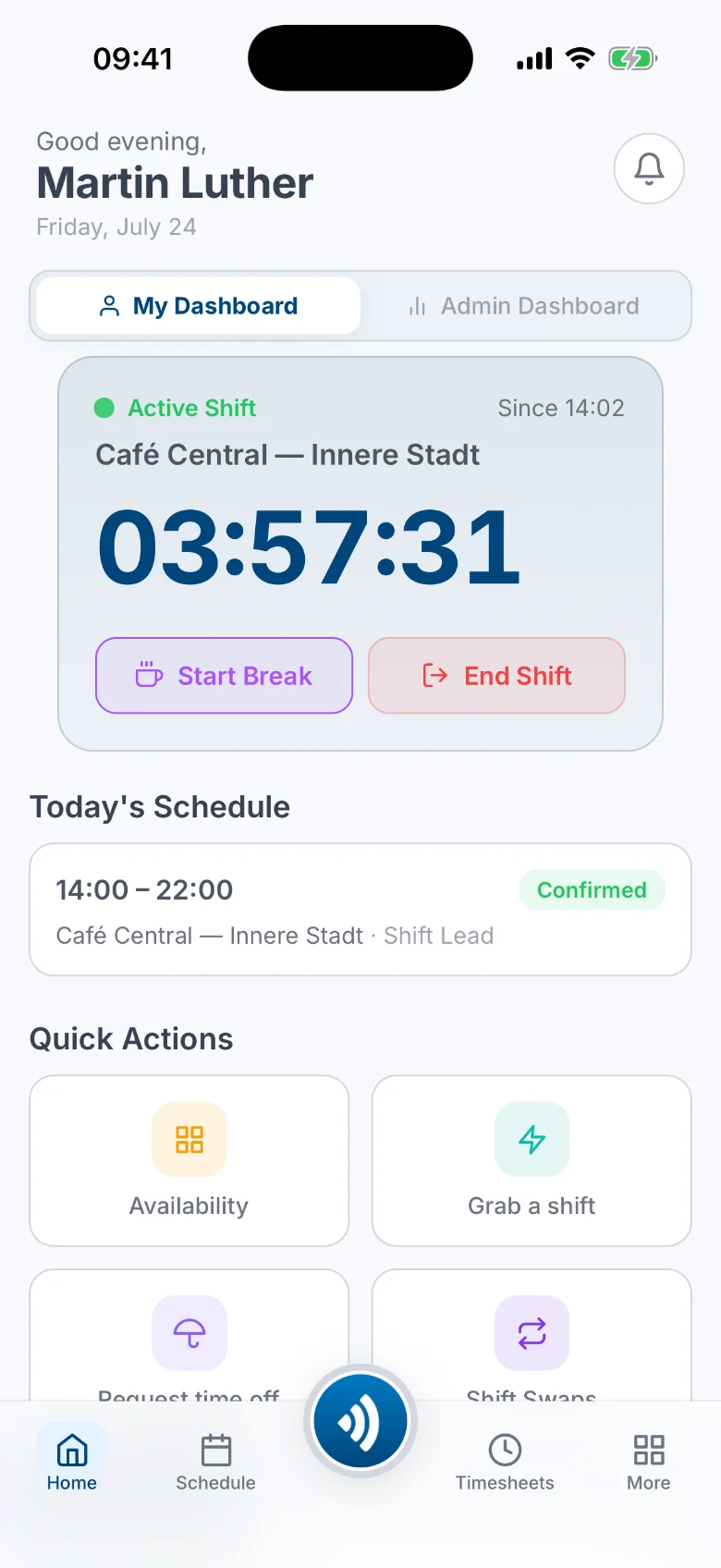
Clock in & out 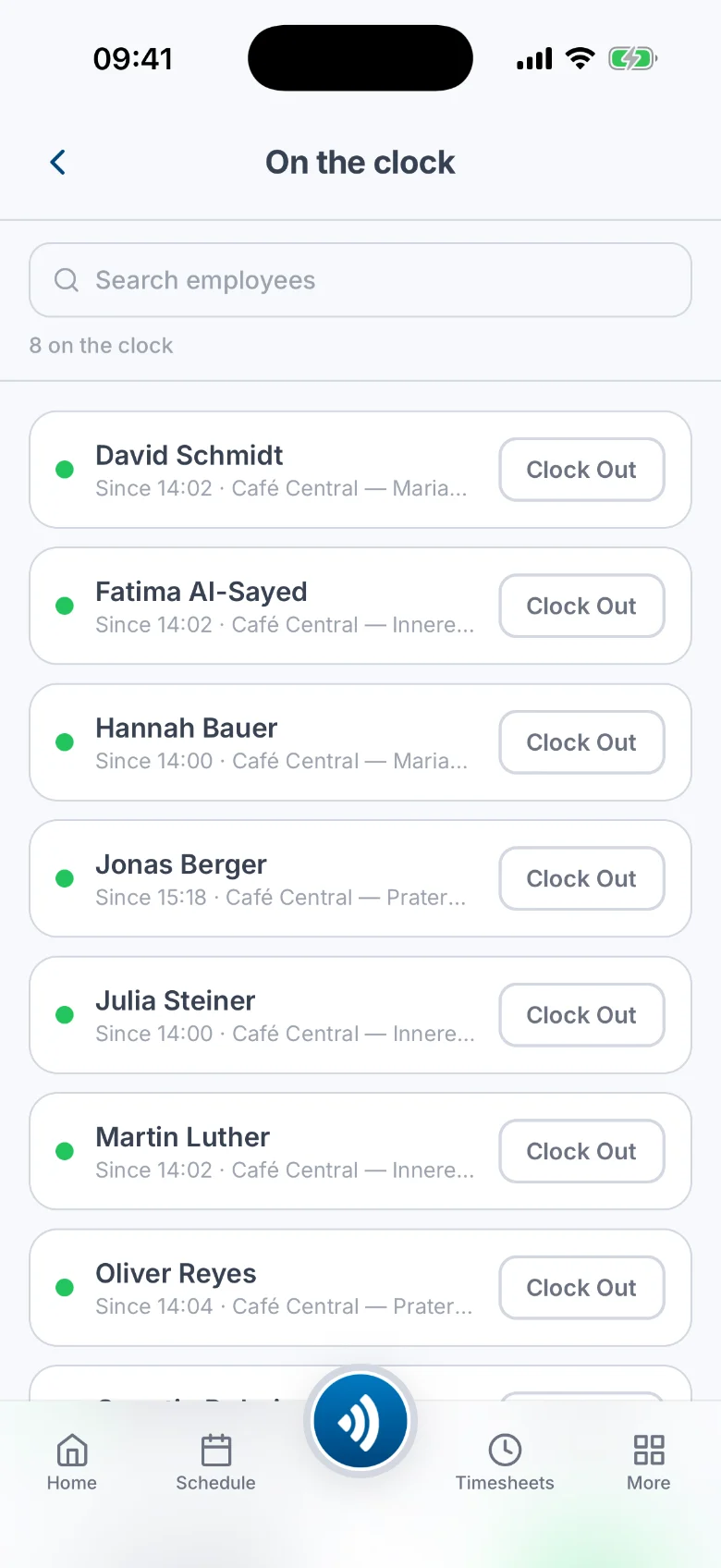
Who's on the clock 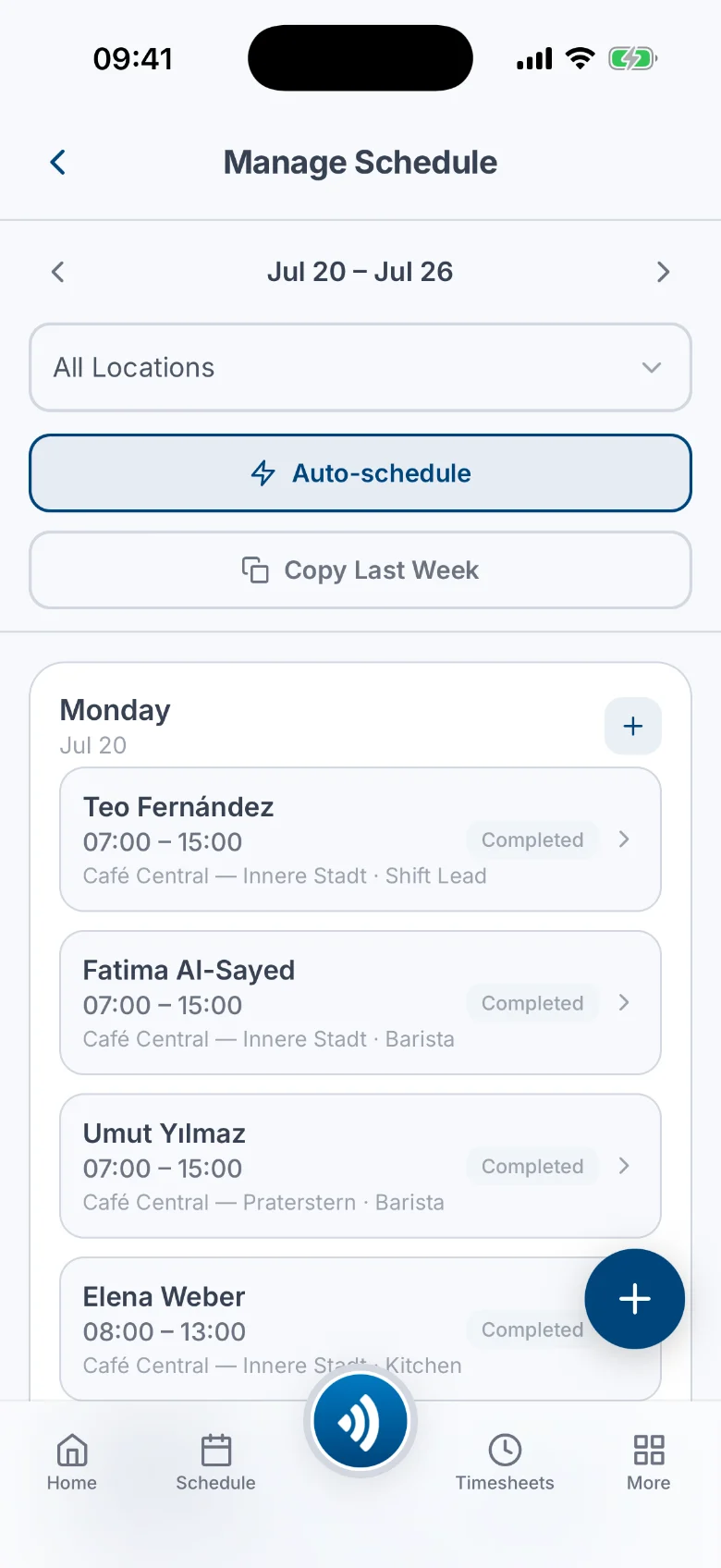
Smart scheduling
- Included in every plan, including the free one
- Push notifications for approvals, alerts and swaps
- Tap the NFC tag to clock in (GPS check optional)
Pricing that starts at zero
Start free, stay free up to 5 people. Upgrade when the team grows.
10 people
Pro
€24/month
≈ €2.40 per person
billed yearly
One flat rate: your first 10 people are included.
Starter
€0 · Free foreverFor small teams getting off paper.
€0
Free forever
- Up to 5 people, 1 admin, 1 location
- NFC + GPS time clock & timesheets
- Scheduling, availability, open shifts & swaps
- Leave, time off in lieu, overtime tracking
- Full mobile app for everyone, on iOS and Android
- 30-day history view, records safely kept
Pro
Most popularThe whole system, uncapped.
€24/month
First 10 people included, then €2 per extra person.billed yearly
- Everything in Starter
- Unlimited people, admins & managers
- Unlimited locations
- Reports with CSV & PDF export
- Scheduled email digests
- Full 8 years of history
Enterprise
Volume pricing, annual terms, onboarding.
Custom
from around 50 people
- Everything in Pro
- Volume seat & annual pricing
- Response-time commitment (SLA)
- Personal onboarding
All prices per month, net of VAT. No setup fees, cancel anytime.
Questions, answered
Is Starter really free?
Yes: €0, forever, for up to 5 people, 1 admin and 1 location. No credit card, no trial clock. When the sixth person joins, Pro starts at €29/month, or €24/month when billed yearly.
What counts as a person?
Active employees. Someone who leaves and is deactivated stops counting. Their records stay.
How does the NFC clock-in work?
You stick a small NFC tag by the door and program it from the app. Employees tap it with their phone to clock in; Atteny verifies the tag belongs to your location, including support for cryptographically signed tags that can't be cloned. If you want extra security, you can add an optional GPS check on top.
What happens when someone forgets to clock out?
Atteny reminds them at shift end, then closes the shift automatically after a grace period you set, and queues it for the manager to verify and fix.
What about our data and GDPR?
Your time records are the basis of payroll, so Atteny never deletes them. Pro shows the full 8 years of history; on Starter you see the last 30 days. The records themselves stay safe. You can export CSV and PDF at any time, and account deletion is self-service.
Do employees need the mobile app?
Clocking in happens from the app or the NFC tag. Managers can also clock team members in and out and fix entries from the web. The iPhone and Android apps are on the App Store and Google Play. Early teams get onboarded personally.
Can we change or cancel plans anytime?
Yes. Pay monthly or yearly, cancel anytime. If you downgrade, nothing is deleted: the caps simply apply again.
Put every shift on the record.
Set up your company, invite the team, stick a tag by the door. From first clock-in to payroll-ready report, in one afternoon.
Free for up to 5 people · No credit card