
Replay the tour or setup guide
Restart the product tour or reopen the guided setup from Settings, on web or mobile, whenever you want a refresher.
When you first sign in, Atteny shows a quick spotlight product tour of where everything lives, plus a setup guide that helps you switch on features and add your basics. You're not limited to one look. You can replay both anytime from Settings, on the web or in the app.
On the web
- 1
Open Settings → General
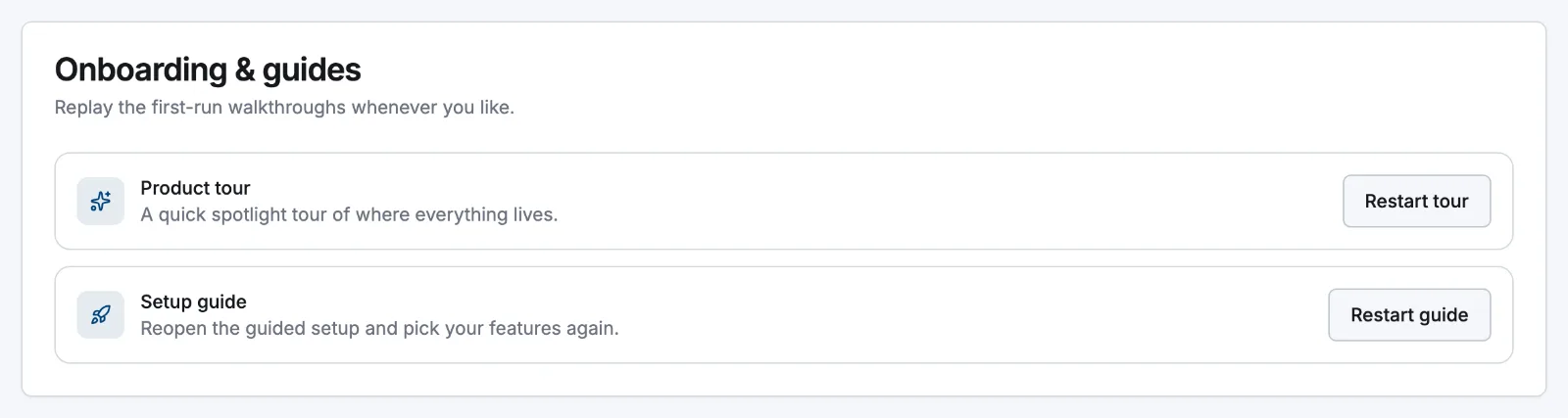
Go to Settings → General and scroll to the Onboarding & guides card.
- 2
Restart the product tour
Under Product tour, select Restart tour. Atteny takes you to the dashboard and the spotlight walkthrough starts again, a quick reminder of where each feature sits.
- 3
Reopen the setup guide
Under Setup guide, select Restart guide. This brings the guided setup back so you can pick your features again and revisit the getting-started checklist on your dashboard.
On mobile
The same controls live in the app, so you can restart a walkthrough right where your team works.
- 1
Open Settings
Tap More → Settings and scroll to the Onboarding & guides section.
- 2
Restart the tour
Tap Restart tour to take the quick product tour again. This is available to everyone, not just admins, so any team member can refresh their memory.
- 3
Reopen the setup guide
As an admin, tap Reopen setup guide to bring back the getting-started checklist and finish anything you skipped.
What's next
Reopening the setup guide is the fastest way to pick up unfinished steps. To walk through adding a location, roles and pay, and inviting your team in one flow, see The guided setup wizard.
Related articles
Still need help?
Contact support