
Complete your profile
A short first-run setup collects your details so your workplace has what it needs. Here's what's asked and what stays on the web.
The first time you sign in to the Atteny app, a short setup wizard walks you through your personal details. It only asks for what's still missing, so it takes a minute or two, then it's out of the way.
- 1
Start the setup
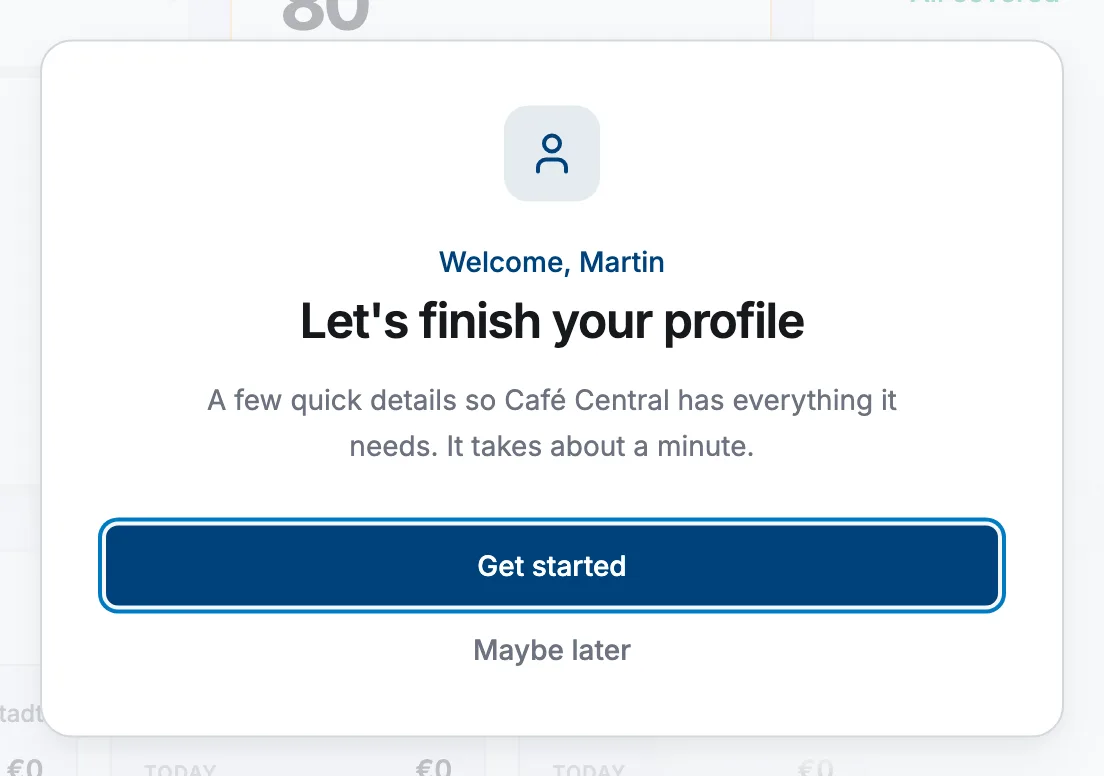
After you sign in, tap Get started on the welcome screen.
- 2
Tell us about you
Enter your first name, last name, preferred name and pronouns, then tap Continue. If whoever invited you already filled your name in, this step is skipped and you start further along.
- 3
Fill in your details
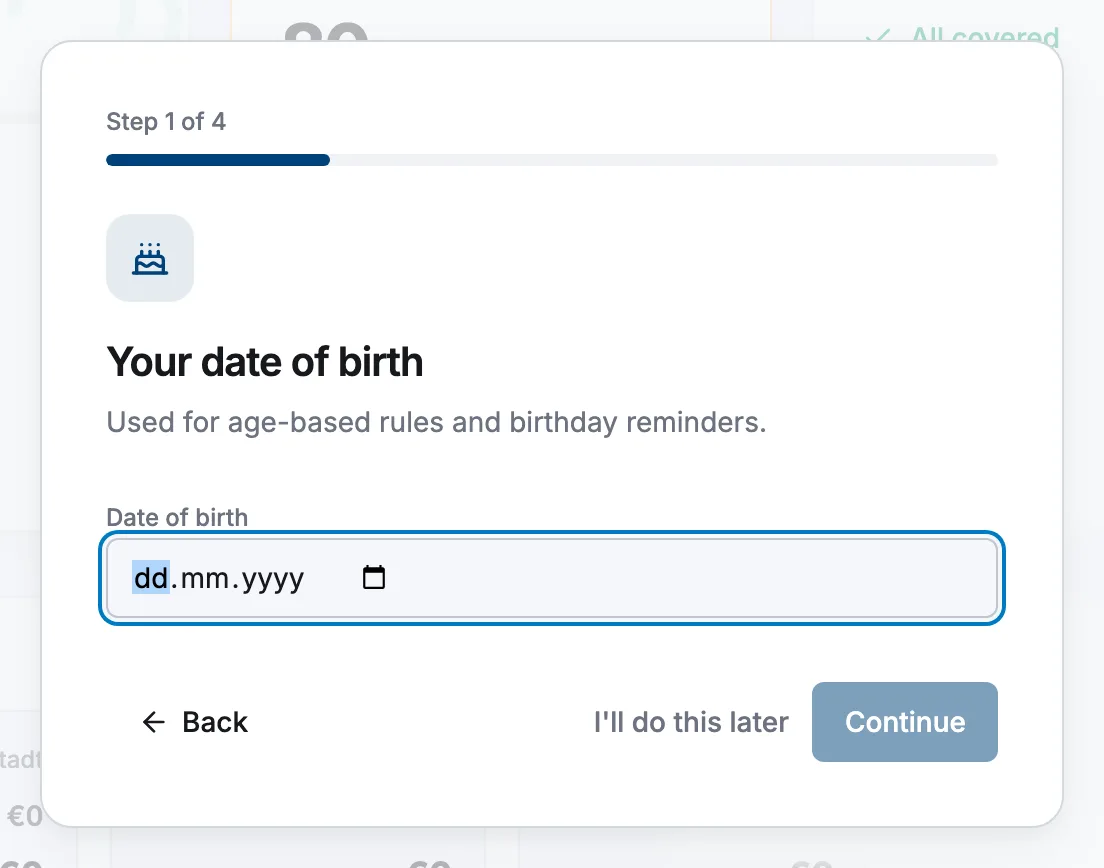
Continue through the remaining steps: date of birth, mobile phone, home address and an emergency contact. A progress bar at the top shows how far along you are, and you can tap Back to fix anything.
- 4
Finish
On the last step, tap Finish to save. You're taken straight to your Home screen.
Most fields are required, but a few (like the country line and your emergency contact's relationship) are optional. You can't tap Continue until the required ones are filled.
Update your details later
Nothing here is set in stone. Open More → My details any time to review or change your information. Once you've finished setup, you're ready to clock in for your first shift.
Related articles
Still need help?
Contact support