
Forgotten clock-outs
What Atteny does when someone forgets to clock out: reminders, automatic close, and the flag you will see.
People forget to clock out. Atteny never leaves a shift running forever and never closes one behind your back: it reminds the employee, then closes the shift, then flags it for you to check.
- 1
A reminder at shift end
Atteny checks open shifts every 30 minutes. Once someone's scheduled end time has passed and they're still clocked in, they get a push and in-app notification (Don't Forget to Clock Out) naming the location and the time their shift ended. Everyone gets this reminder, including people who are allowed to work overtime.
- 2
Then the shift is closed automatically
If the reminder goes unanswered:
- Standard employees: closed one hour after the reminder, and the recorded clock-out is set back to the scheduled end time.
- Employees with Allow Overtime on (Employees → the person → Employment): closed 3 hours after the scheduled end by default, and the recorded clock-out is the moment of closing, because they may genuinely have worked on.
Any break still running is ended at the same moment and the hours are recalculated.
- 3
If there was no schedule that day
With no scheduled end to anchor to, the clock runs from clock-in instead: 12 hours by default. The reminder-then-close sequence then follows from there.
- 4
Check the flagged timesheet
The timesheet moves to pending verification with an Auto-closed badge and appears in the Pending Clock-out Verifications card on your Dashboard and on Timesheets. The employee and the location's managers and administrators are notified. Select Edit to correct the date and time, add a note, then Approve with Changes, or Approve if the recorded time is right. See The verification queue.
Change the windows
Go to Locations → the location → Timesheets. Two cards control this, per location:
- Overtime auto-close → Auto-close overtime shifts after (1–24 hours, default 3)
- No-schedule auto-close → Auto-close unscheduled shifts after (1–24 hours, default 12)
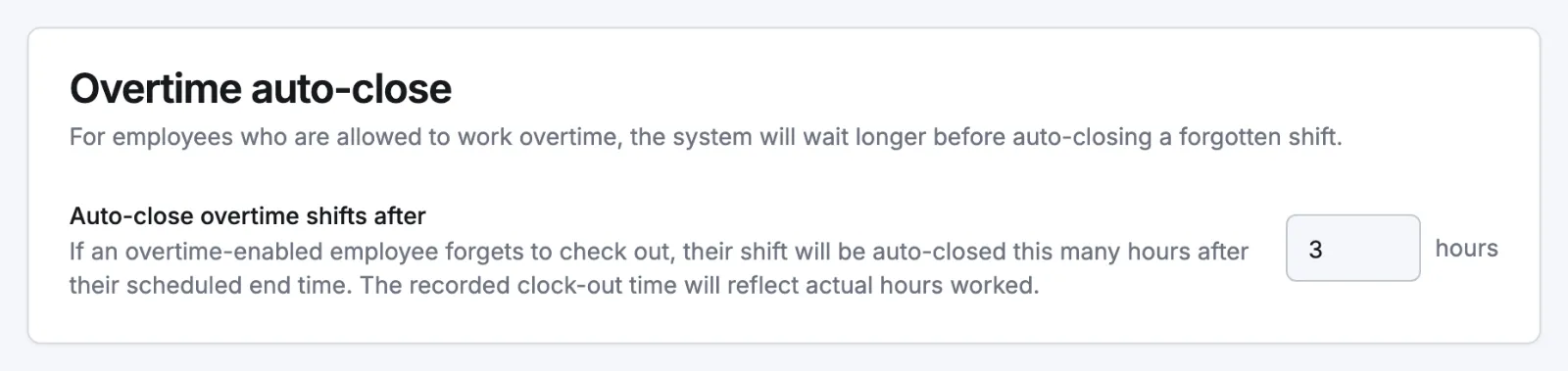
The one-hour window for standard employees is fixed. The two notifications (Forgot to clock out and Shift auto-closed) can be tuned in Settings → Notifications.
Related articles
Still need help?
Contact support