
What managers can see
Managers work inside their own locations. Here is exactly where that boundary applies.
Admins see the whole company. Managers see the locations they're assigned to. Everything a manager reads and approves is built from those assignments, so getting them right is what makes a manager useful, and what keeps one site's data out of another site's hands.
Assignments live on Employees → (person) → Employment, under Work locations. Tick every location the person works at and use the ★ to mark the primary one.
Where the boundary applies
| Surface | What a manager gets |
|---|---|
| Dashboard tiles and Action Center | Their locations only |
| Timesheets, Who's in, on-behalf clock-in | Records at their locations only |
| Schedules | Shifts at their locations only |
| Pending leave and pending availability | Only staff they share a location with |
| Shift swaps and time off in lieu | Only staff they share a location with |
| Reports | Hours for staff at their locations |
| Employees list | The whole company: name, role, email and employment type for everyone |
| A person's profile | Employment details and masked ID only for staff at their locations. Everyone else stays a plain directory entry |
| Pay rates, cost and payroll figures | Hidden, unless the costs switch below is on |
Approvals follow the same line: a manager can't approve a timesheet or leave request for someone outside their locations, and can't approve their own.
The location switcher
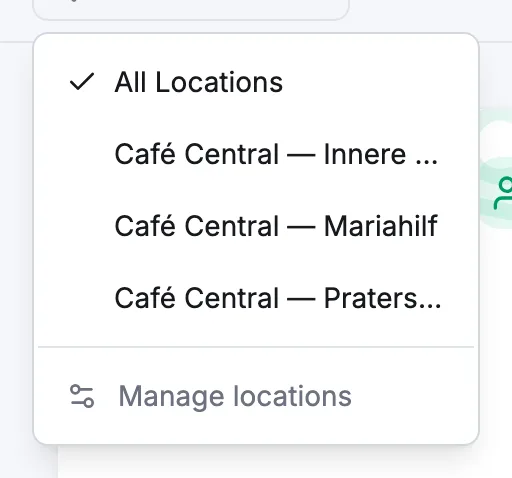
The pin control in the top bar sets a global scope for Dashboard, Timesheets and Schedules. All Locations is the default: for a manager that already means "all the locations I'm assigned to". Pick a single location to narrow the page, or Manage locations to open the list.
Two switches that widen a manager's reach
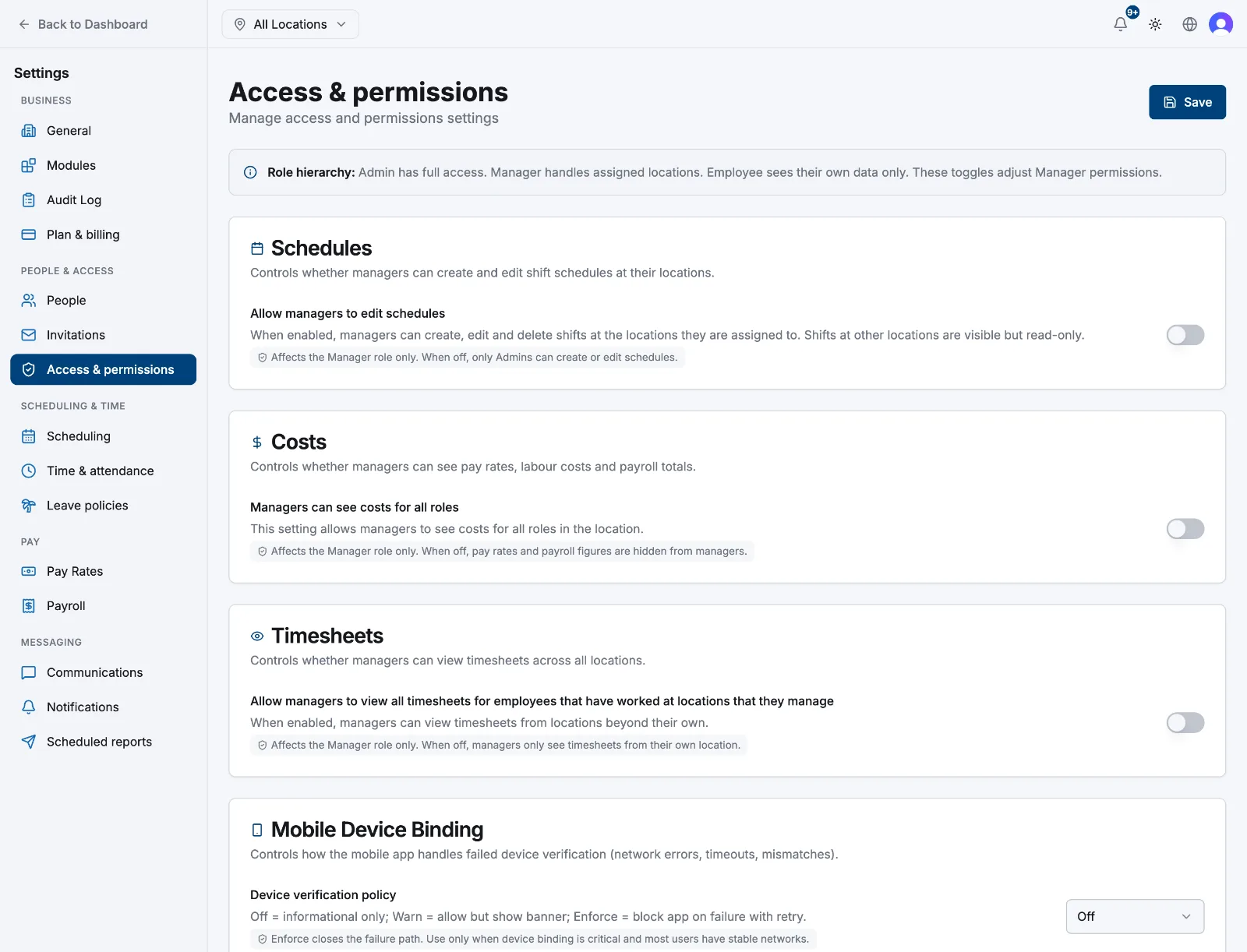
Both live under Settings → Manager permissions, which only an admin can open.
- Allow managers to see data beyond their own location, under Location scope: managers can then read timesheets, schedules, reports and team profiles beyond their own locations. With it off, they only see their own.
- Managers can see costs for all roles: reveals pay rates, labour cost and payroll totals to managers. With it off, those figures are stripped out before the data ever reaches them.
What stays admin-only
Settings, the Payroll page, creating or deleting a location, registering an NFC tag, assigning work locations, changing anyone's role, editing another manager's or an admin's profile, and inviting anyone as a manager or admin.
Related articles
Still need help?
Contact support